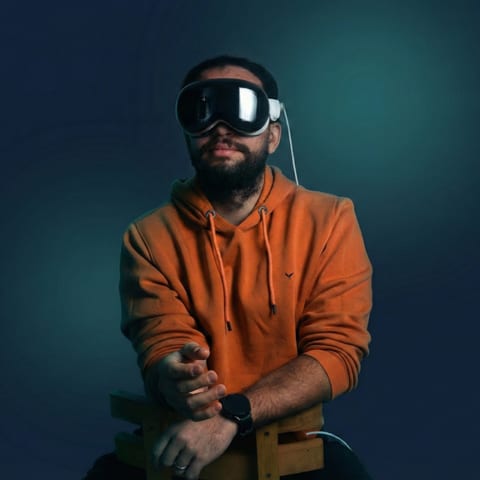
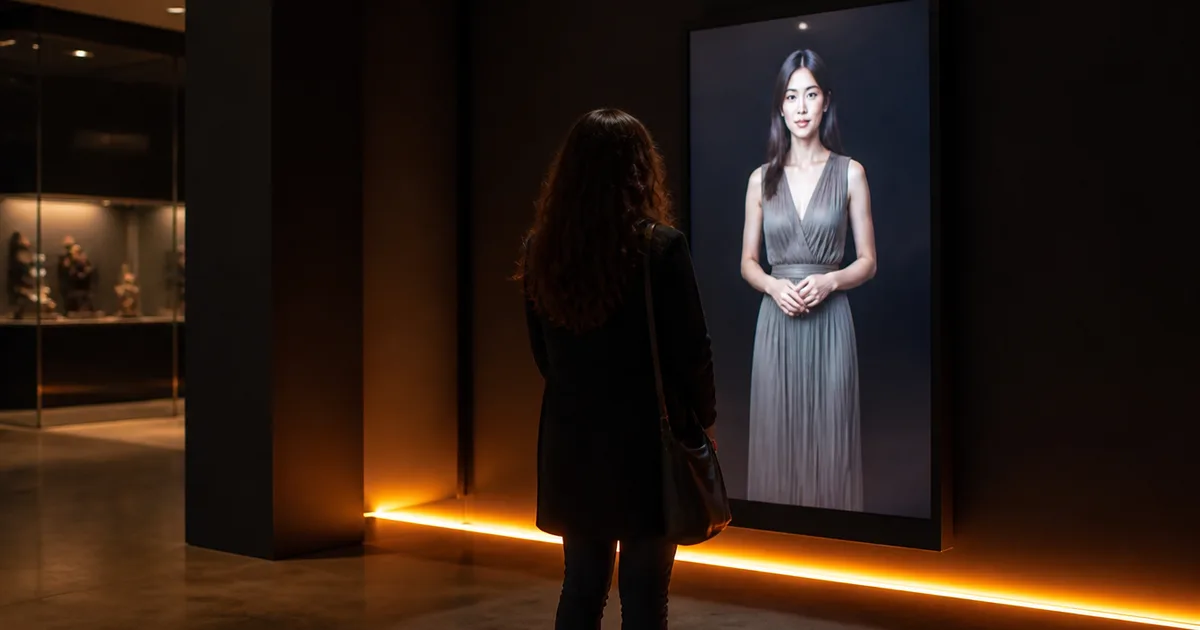
When artist Shavonne Wong approached us to build an AI avatar installation for ArtScience Museum in Singapore, the brief was deceptively simple: create a digital version of Eva that could track visitors, respond to their movements, and hold their attention in a live gallery environment.
Simple to describe. Genuinely hard to build.
Public installations fail in ways that controlled demos never do. Lighting shifts. Groups crowd the sensor range. Children run directly at the screen. Someone stands completely still for four minutes. The system has to handle all of it — gracefully, in real time, in a gallery where the work is on display and there is no tolerance for visible error.
This is a breakdown of how we built Meet Eva Here, what made it technically difficult, and what enterprise teams commissioning similar work need to understand before they start.
What We Actually Built
Meet Eva Here was a Unity-based AI avatar installation deployed at ArtScience Museum as part of artist Shavonne Wong's exhibition. Eva — the avatar — tracked museum visitors through gesture and movement detection, responding dynamically to their physical presence. She wasn't scripted in the traditional sense. Her reactions depended on what visitors were doing in front of her.
The result was an installation that held attention, felt genuinely responsive, and — critically — kept working across the full run of the exhibition. Our client confirmed: "The Unity build worked as intended. Very responsive and quick at delivering. Internal stakeholders praised their accessibility and work culture."
That outcome required solving a set of problems that don't appear in any software documentation.
The Core Technical Challenge: Unpredictable Bodies in a Public Space
Most gesture-tracking systems are tested with cooperative users. They stand at the right distance, face the camera, and move deliberately. Museum visitors do none of those things.
We built the tracking layer in Unity, using real-time pose estimation to detect visitor body position and orientation. The system needed to identify when someone entered the interaction zone, distinguish them from people passing in the background, and determine what their movement or posture was communicating — all without requiring any deliberate input from the visitor.
A few specific problems we had to design around:
Variable distance and angle. Visitors don't approach from one direction at one distance. The detection logic had to remain stable whether someone was standing one meter away or drifting in from the side at three meters.
Group behavior. Multiple visitors often arrived simultaneously. The system needed to prioritize without visibly ignoring anyone, and transition smoothly when the primary visitor stepped away and a new one moved in.
Lighting conditions. ArtScience Museum's gallery lighting is atmospheric rather than uniform. Ambient light shifts significantly across the gallery floor. The computer vision component had to be tuned specifically for that environment, not just calibrated against a controlled test setup.
Children. Fast, unpredictable, often directly at the screen. The tracking had to handle small body frames and erratic movement without breaking the interaction loop.
We tuned the system through iterative testing in conditions that approximated the actual gallery, not ideal lab conditions. That distinction matters enormously. The difference between a demo that impresses and an installation that ships is the willingness to break it on purpose before the opening.
Why Unity Was the Right Call
We build on Unity across most of our real-time projects — it's the same engine behind NBK Virtugate, Immersive Exposure, and Work Spatial. For Meet Eva Here, Unity gave us the control we needed over the full rendering and interaction pipeline in a single environment.
The avatar's facial animation, the gesture response logic, the scene rendering, and the state management all lived in one build. That matters for stability. When something fails in a multi-service architecture — a cloud API goes down, a network call times out — the failure is often opaque and difficult to recover from gracefully. With everything in the Unity build, we had direct control over failure states. If a detection event didn't register, the avatar returned to a neutral idle state rather than freezing or throwing an error.
We also kept inference local. Processing happened on hardware in the gallery, not through a cloud dependency. For a live public installation, network latency is a liability. Sub-100-millisecond response is the threshold for interaction that feels natural rather than mechanical — cloud round-trips rarely get you there reliably. Edge deployment meant the avatar responded to visitors in the timeframe that felt like genuine reaction, not queued processing.
The trade-off is that edge deployment requires careful hardware selection and means model updates require physical deployment rather than a remote push. For an exhibition with a fixed run and a stable interaction model, that was the right trade-off. For a permanent installation that needs regular content updates, the calculus is different.
Designing Eva to Feel Responsive Without Being Scripted
The biggest creative and technical challenge wasn't tracking. It was making Eva feel like she was genuinely paying attention.
Scripted avatar responses — fixed animations triggered by detected inputs — produce interactions that visitors see through almost immediately. The pattern becomes obvious, and once it does, the installation loses its hold. Visitors stop feeling observed and start feeling like they've found the edges of a decision tree.
We designed Eva's response logic around behavioral states rather than scripted triggers. She had distinct modes — idle, aware, engaged, responsive — and transitioned between them based on continuous tracking data rather than discrete events. A visitor entering the zone didn't trigger a single animation. It shifted Eva into an awareness state that influenced everything: her gaze direction, her posture, her micro-movements.
This approach produces something that reads as attentiveness rather than reaction. The avatar appears to notice you, not just detect you. That distinction is small technically and significant experientially.
We also deliberately avoided ultra-realistic rendering for the avatar. There's a well-documented problem in avatar design where near-human realism produces discomfort rather than engagement — the uncanny valley effect is real, and it's particularly pronounced in extended one-on-one interactions. Eva was stylized. Expressive and warm, clearly non-human, but not cartoonish. Visitors could engage with her without the low-level unease that hyper-realistic avatars often generate. That choice improved dwell time more than any technical optimization we made.
Stability and Stakeholder Sign-Off in Live Public Environments
Enterprise teams commissioning interactive installations often underestimate how different the sign-off process is for a live public deployment versus a digital product.
With a website or app, you can push a fix during off-hours. With a gallery installation, the work is the exhibition. A failure isn't a bug report — it's visible to everyone standing in the room.
A few things we learned from Meet Eva Here that apply broadly:
Test for failure modes, not just success paths. The question isn't whether the system works when everything goes right. It's what it does when detection fails, when multiple visitors arrive simultaneously, when someone stands in the sensor range and doesn't move for ten minutes. Every edge case needs a designed response.
Internal stakeholder review needs to happen in the actual environment. Approvals based on demos in a conference room don't surface the issues that emerge in the gallery. We pushed for on-site review before opening. That session surfaced three lighting-related tracking issues that would have been visible on day one.
Define what "working" means before you start. The client praised accessibility and the work culture specifically — and that language matters. Stakeholder satisfaction in live installations depends heavily on whether expectations were set correctly from the beginning. We documented the system's capabilities and intentional design constraints as part of the handoff, so the team understood what Eva could and couldn't do before visitors arrived.
Have a clear fallback state. If the system degrades, it should do so gracefully. A neutral idle animation is not a failure. A frozen screen or an error state visible to gallery visitors is.
What the Market Is Telling Us
The museum experience AI market was valued at $1.2 billion in 2024 and is projected to reach $6.8 billion by 2033. That growth rate reflects genuine institutional demand, not hype — museums are actively moving from experimentation to operational deployment of interactive systems.
What that data doesn't show is how many of those deployments underperform because the technology was treated as plug-and-play. The Smithsonian's widely documented Pepper robot pilot is the clearest example on record: the robot proved most effective not as an information resource but as a visual signal that the museum was engaging with contemporary technology. Conversational capabilities were limited enough that visitors quickly found the edges. The lesson isn't that the approach was wrong — it's that the interaction design and technical ambition weren't aligned.
The installations that work are built with a clear answer to one question: what specific thing do you want a visitor to experience, and what does the system need to do reliably to produce that experience? For Meet Eva Here, the answer was that visitors should feel genuinely observed by a digital presence. Every technical decision followed from that.
What Enterprise Teams Need to Know Before Commissioning This Work
If you're exploring AI avatar development for retail, brand activations, events, or enterprise environments, here's a practical checklist based on what we've built and what we've seen fail:
Before you commission:
- Define the visitor experience in behavioral terms — what should a person feel or do, not what the technology should do
- Identify your actual environment constraints: lighting, space dimensions, expected crowd density, noise levels
- Decide edge vs. cloud deployment based on your latency requirements and network reliability — not on cost alone
- Set explicit uptime and failure-state requirements in the brief
During development:
- Test in conditions that approximate the real environment, not controlled demos
- Design avatar visual style to avoid uncanny valley — stylized reads better than near-realistic in extended interactions
- Build behavioral state logic, not scripted trigger-response chains
- Define every failure mode and its designed response before QA
Before go-live:
- Conduct on-site stakeholder review in the actual environment
- Document system capabilities and intentional limitations for the client team
- Confirm hardware is calibrated to the specific space, not just factory defaults
- Run a full stress test with realistic visitor behavior — variable distances, groups, children, extended idle periods
Ongoing:
- Plan for content and model updates if the installation runs longer than three months
- Establish a clear data policy if any visitor behavior is logged — transparency with visitors is non-negotiable
- Keep a human available to reset or support the system during high-traffic periods
The work we did on Meet Eva Here sits at the intersection of AI, real-time tracking, and live public deployment. That intersection is exactly where enterprises in retail, events, and brand activations are heading. The technology is ready. The question is whether the brief, the build, and the environment are all aligned before opening day.
If you're working through that alignment now, we're worth talking to.