
The Meta Quest app submission process is a multi-stage procedure requiring adherence to technical, content, and user experience standards documented in Meta's Virtual Reality Check (VRC) guidelines. Developers who treat submission as an afterthought routinely face rejection cycles that delay launches by weeks. This Meta Quest app submission guide maps every critical requirement, from APK packaging rules to VRC preparation, so you can move through the app approval process for Meta Quest with fewer surprises. Meta recommends submitting at least two weeks before your target launch date to accommodate review iterations.
What are the technical requirements for Meta Quest app submission?
All Meta Quest apps must be submitted as 64-bit binaries, with APK size capped at 1 GB and optional OBB expansion files up to 4 GB. That size architecture reflects the constrained storage environment of standalone headsets like Quest 3 and Quest 3S. Every APK must be signed using Android signature scheme v2. Apps must target Android 10 (API level 29) or higher.
Meta Quest runs a custom Android fork. This means several standard Android features are simply unavailable, and requesting them in your manifest causes automatic rejection. The following are hard requirements and common failure points:
- 64-bit binary only. No 32-bit fallback is accepted.
- APK signed with Android v2 signature scheme. Legacy v1 signatures fail review.
- Target API level 29 or higher. Lower targets are rejected outright.
- No telephony or precise GPS permissions. These hardware features do not exist on Quest.
- Platform Entitlement check API called within 10 seconds of launch. Skipping this API call causes automatic rejection regardless of app quality.
- Head-tracked graphics displayed within 4 seconds of launch, or a valid VR loading indicator shown inside the headset. Missing this load state triggers immediate review flagging.
- Release build manifest standards. Debug flags and test permissions must be stripped before upload.
Pro Tip: Run a full manifest audit against Meta's unsupported features list before building your release APK. Catching a prohibited permission at this stage costs minutes. Catching it after submission costs days.
The Platform Entitlement check is the single most overlooked technical requirement. It verifies that the user owns the app through Meta's licensing system. Developers who build without it during development and add it late often introduce timing bugs that surface only under review conditions.

How to use Meta Quest developer dashboard and developer hub
The Meta Quest Developer Dashboard is the central interface for app lifecycle management, covering build uploads, metadata, pricing, and distribution channel control. The Developer Hub simplifies uploads with a GUI alongside CLI tools and direct integrations with Unity and Unreal Engine editors. Choosing the right upload method depends on your team's pipeline, but all three paths lead to the same destination: a build staged in a release channel.
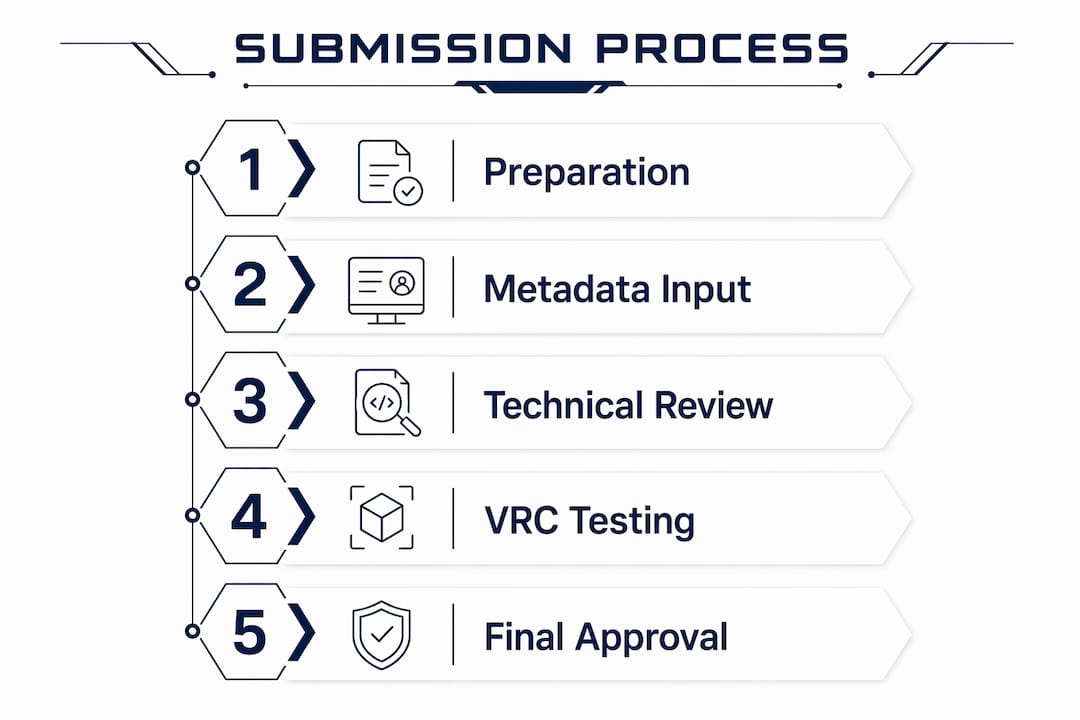
The submission workflow follows a defined sequence:
- Create your app page in the Developer Dashboard. Set your app name, category, and initial metadata. This page is required before any build can be uploaded.
- Upload your build via Developer Hub, CLI, or your game engine editor. Assign the build to a release channel immediately on upload.
- Stage builds through Alpha and Beta channels for external testing. Release channels before Production expose real-world issues before formal review begins.
- Prepare and submit all metadata. This includes store description, cover art, screenshots, trailer, content rating, privacy policy URL, and pricing model.
- Move the build to the Release Candidate channel. This is the final pre-Production stage for internal sign-off.
- Submit to the Production channel for formal review. This action triggers Meta's review queue.
- Monitor feedback and manage corrections. Metadata review takes 1–2 business days. Full technical review may take longer if iterations are required.
The metadata layer is reviewed separately from the technical layer. This distinction matters because a metadata rejection does not necessarily indicate a technical problem, and vice versa. Keeping both tracks clean in parallel reduces total review time.
| Submission Stage | Primary Action | Common Failure Point |
|---|---|---|
| App Page Creation | Set name, category, metadata | Incomplete or mismatched store description |
| Build Upload | APK via Hub, CLI, or engine editor | Unsigned APK or wrong target API level |
| Alpha/Beta Testing | External tester distribution | Entitlement check not triggered in test builds |
| Metadata Submission | Store assets, pricing, privacy policy | Missing privacy policy URL or incorrect cover art dimensions |
| Production Submission | Formal review trigger | Head-tracking or load state violations |
Pro Tip: Write your release notes before you submit, not after. Reviewers read them. Clear notes explaining new features or changes reduce back-and-forth questions and speed up the review cycle.
What is the VRC review, and how do you prepare for it?
Virtual Reality Check (VRC) is Meta's formal review framework. It divides requirements into two categories: required VRCs, which block approval if failed, and recommended VRCs, which affect your app's quality rating but do not prevent publication. Required VRCs block approval while recommended ones influence how Meta positions your app in store rankings and featured placements.
Focusing only on checklist completion is insufficient. Meta's technical reviewers evaluate design and user experience quality, not just binary pass/fail criteria. An app that technically passes every required VRC but delivers a disorienting or low-quality experience will still receive feedback requiring changes.
The most commonly failed VRC categories include:
- Performance. Apps must sustain stable 72 FPS performance on Quest hardware. Draw call budgets and triangle counts for complex scenes must be optimized before submission, not after.
- Initial load state. Head-tracked graphics or a valid loading indicator must appear within 4 seconds. A black screen with no feedback fails this check.
- Asset quality. Cover art must be 1024 x 500 pixels. Screenshots must be 2D captures at 1832 x 1920 per eye or equivalent. Trailers must meet Meta's specified encoding standards.
- Security and privacy. A publicly accessible privacy policy URL is mandatory. Apps targeting users under 13 must comply with COPPA requirements.
- Platform Entitlement. The entitlement API must be called and resolved within 10 seconds of launch, as noted above.
Assigning centralized ownership for pre-submission VRC validation to one team member improves consistency and reduces iteration cycles. Distributing validation across multiple developers produces inconsistent results because each person interprets edge cases differently.
Static VRC test plans can become obsolete as Meta updates its guidelines. The practical implication is that your QA process must treat VRC compliance as a living standard, not a one-time checklist. Review Meta's published guidelines within two weeks of any planned submission to catch recent changes.
What are the common challenges in the app approval process?
The app approval process for Meta Quest involves two distinct review tracks running in sequence. Metadata review resolves in 1–2 business days. Full technical review timelines vary based on the complexity of feedback and whether code-level changes are required. Planning for at least one full review cycle with code changes is the realistic baseline, not the pessimistic one.
The most frequent rejection causes fall into predictable categories:
- Entitlement check absent or delayed. This is the leading technical rejection cause and is entirely preventable.
- Initial load state violations. Black screens, frozen frames, or non-VR loading screens at launch.
- Metadata mismatches. Store descriptions that do not match the actual app experience, or screenshots that show UI not present in the submitted build.
- Missing or inaccessible privacy policy. The URL must resolve publicly at review time, not just at submission time.
- Content policy violations. Age ratings inconsistent with actual content, or content that violates Meta's design policies.
"Technical review feedback can require deep code changes, not just asset swaps. Developers who treat the first submission as exploratory rather than production-ready consistently face longer iteration cycles."
On-device performance validation is non-negotiable before submission. Testing in the Unity Editor or on a PC does not replicate Quest hardware constraints. Frame rate drops that are invisible on desktop become disqualifying on Quest 3 hardware under thermal load. Run your final performance validation on the target device, with the release build, under conditions that simulate real user sessions.
Communicating clearly with Meta's review team when responding to feedback accelerates resolution. Vague responses to rejection notes extend the cycle. Reference the specific VRC number, describe the exact change made, and specify the build version that contains the fix.
Key takeaways
Successful Meta Quest app submission requires meeting all required VRC criteria, passing technical packaging rules, and submitting at least two weeks before launch to allow for review iterations.
| Point | Details |
|---|---|
| Submit two weeks early | Meta's review timeline includes metadata and technical layers; iterations require buffer time. |
| Pass the Entitlement check | Call the Platform Entitlement API within 10 seconds of launch or face automatic rejection. |
| Use release channels first | Alpha, Beta, and Release Candidate channels catch issues before Production review begins. |
| Assign one VRC owner | Centralized validation responsibility reduces inconsistencies and shortens iteration cycles. |
| Test on device, not editor | On-device performance testing at 72 FPS on Quest hardware is the only valid pre-submission benchmark. |
What I've learned shipping apps through Meta's review process
After working through the Meta Quest submission process across multiple projects at Virtualverse, the pattern that separates smooth approvals from extended iteration cycles is almost always preparation depth, not technical skill.
The developers who struggle most are not the ones who lack engineering ability. They are the ones who treat submission as the final step rather than a stage that requires its own dedicated preparation sprint. The Entitlement check failure is the clearest example. Every developer knows it is required. It still causes rejections because it gets added late, tested superficially, and never validated under the exact conditions Meta's reviewers use.
The VRC framework deserves more respect than it typically receives. Shipping a VR app on Meta Quest involves passing a review process that evaluates user experience quality, not just binary compliance. An app that technically clears every required VRC but delivers a disorienting first 30 seconds will still generate feedback. Meta's reviewers are users before they are checkers.
The advice I give every team before their first submission: assign one person to own VRC validation end to end, run your final build on the actual target device for a minimum of two full user sessions, and submit with enough calendar time to absorb one complete rejection and resubmission cycle. That buffer is not pessimism. It is the realistic operating model for first-time submissions.
— Mohamed
Ready to ship your Meta Quest app without the guesswork?
Virtualverse has delivered end-to-end VR development across 50+ projects, including enterprise training platforms, immersive education experiences, and social VR applications built specifically for Meta Quest. The studio handles concept, engineering, QA, and store submission under one roof, which means your team does not need to learn Meta's submission requirements from scratch.
If you are building a Meta Quest app and want a team that has already navigated the VRC framework, packaging requirements, and review cycles across real production projects, Virtualverse offers custom VR development and submission support tailored to enterprise timelines. Contact the team to discuss your project scope and get a clear path to the Meta Quest Store.
FAQ
How long does the Meta Quest app review process take?
Metadata review takes 1–2 business days. Full technical review may take longer if iterations requiring code changes are needed, which is why submitting at least two weeks before your target launch date is the standard recommendation.
What APK size limits apply to Meta Quest submissions?
APK size is capped at 1 GB, with optional OBB expansion files up to 4 GB. All builds must be 64-bit binaries signed with Android signature scheme v2.
What is a required VRC versus a recommended VRC?
Required VRCs block app approval if failed. Recommended VRCs affect your app's quality rating and store positioning but do not prevent publication. Both categories are evaluated during Meta's technical review.
Why do apps fail the Platform Entitlement check?
The Platform Entitlement API must be called and resolved within 10 seconds of app launch. Skipping or delaying this call causes automatic rejection, regardless of the app's overall quality or completeness.
Can you test your app before submitting to production?
Yes. The Developer Dashboard provides Alpha, Beta, and Release Candidate channels for external testing before formal review. Using these channels to validate builds under real conditions is the most effective way to reduce rejection risk in Production.
Recommended
- How to Publish a VR App on the Meta Quest Store: Lessons from Shipping Immersive Exposure | Virtual Verse Studio Blog
- VR App Development: What Actually Goes Into Shipping a Real VR App | Virtual Verse Studio Blog
- Unity VR Development for Meta Quest: What Actually Happens When You Ship | Virtual Verse Studio Blog
- VR App Development: Real Decisions, Tradeoffs, and How to Actually Ship | Virtual Verse Studio Blog