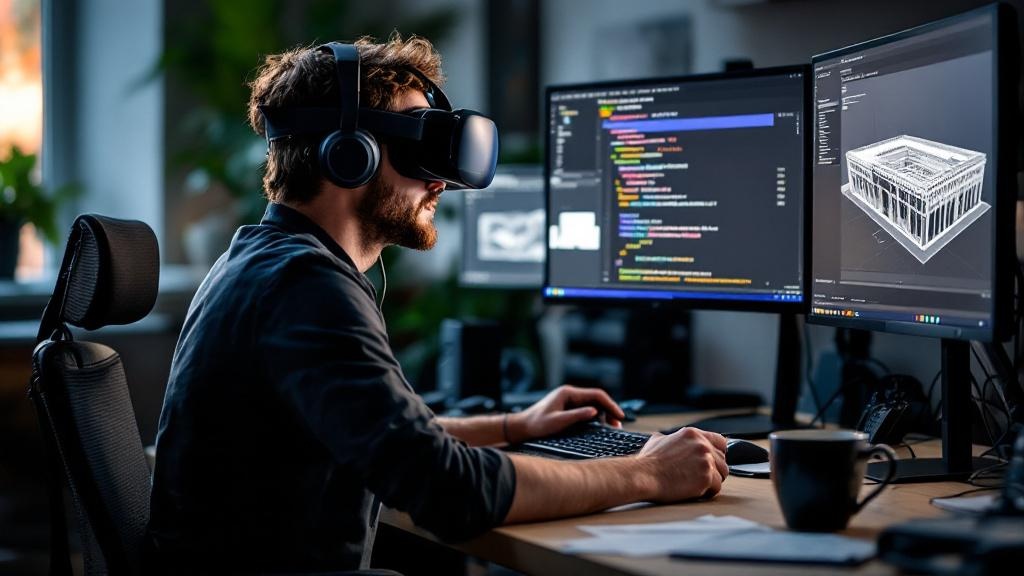
Unity VR development is where most enterprise XR projects either find their footing or quietly lose six months. We've shipped it across banking, education, healthcare, and museums — and the pattern is consistent: the gap between the whiteboard and the shipped product is not a failure of ambition. It's a failure to plan for the decisions that will inevitably force scope down.
This post is a build-floor account of which features enterprise clients request most, which ones we cut during scoping, and why — anchored in two real projects: Immersive Exposure, which shipped early on the Meta Quest App Store, and Iman VR, which delivered historically accurate reconstructions under museum-grade constraints. Both projects succeeded. Both required hard choices.
Why Enterprise VR Projects Stall Before They Ship
The financial case for enterprise VR is well-documented. A Forrester study commissioned by Meta found enterprise VR training delivers 219% ROI over three years, with payback in under six months for organisations deploying at scale. Content retention rises 70% through VR training. Three-quarters of Fortune 500 companies are implementing VR in 2026.
None of those numbers apply to projects that never reach production.
Scope creep is the primary reason enterprise VR projects fail to ship. Projects affected by it are 45% more likely to miss deadlines and 35% more likely to exceed budgets. In VR specifically, the problem is structural: the medium's novelty invites continuous stakeholder requests for enhancement. A functional prototype makes the experience tangible in a way that a Figma mockup never does — and the moment stakeholders put on a headset, they start imagining what else it could do.
Each request seems reasonable in isolation. Collectively, they transform a four-month project into a twelve-month one.
The Feature Hierarchy: What Actually Ships in Enterprise Unity VR Development
After building across multiple industries, we've observed a consistent hierarchy of what makes it into production. Understanding this hierarchy is the most practical thing a buyer can know before entering a Unity VR development engagement.
Tier 1 — Non-negotiable core functionality. VR runtime initialisation, head and hand controller tracking, basic locomotion, scene navigation, and a functional interaction model (grab, point, select). Without these, the application does not run. They always ship.
Tier 2 — Training or scenario-specific functionality. The features that directly serve the stated objective: hazard visualisation, consequence simulation, assessment tracking, or in the case of Immersive Exposure, high-quality immersive content playback. These ship because stakeholders can articulate their direct connection to business outcomes.
Tier 3 — Optimisation and polish. Spatial audio, enhanced material quality, adaptive field-of-view rendering to reduce motion sickness, comfort settings. These frequently get deferred. Professional audio design alone can add $10,000–$50,000 to a project depending on complexity — and when timelines tighten, audio quality loses the budget argument to functional completeness.
Tier 4 — Cross-platform and multi-device support. Supporting Meta Quest, SteamVR, and HTC Vive through a single Unity build is theoretically straightforward via OpenXR. In practice, porting from PC to Quest doubles the number of performance optimisation passes required. Most enterprise projects ship single-platform — typically Meta Quest — and defer broad support to subsequent releases.
Tier 5 — Multiplayer and networked environments. The Unity VR multiplayer template, built on Netcode for GameObjects and Vivox voice chat, is a solid starting point. But real-time networked VR introduces latency sensitivity, server architecture complexity, and per-user testing overhead that consistently pushes this capability to phase two.
Tier 6 — Advanced and experimental features. Eye tracking, full-body haptics, generative AI-driven scenario adaptation, and persistent cross-session state. These are exciting in demonstrations. They almost never appear in initial enterprise deployments.
Immersive Exposure: Scoping for Early Delivery
Immersive Exposure is the clearest example we have of scope discipline enabling an early ship. The project is a VR education platform on the Meta Quest App Store — interactive 3D photography lessons delivered in an immersive community environment.
The client's feedback: "Released early on the Meta Quest app store, meeting expectations. Responds quickly and follows up promptly."
That early release was not accidental. It came from a deliberate decision to build the core learning experience — high-quality immersive content, structured lesson flow, community room — and resist the pull toward features that would have added months without proportionally advancing the educational objective. We did not attempt multiplayer synchronisation across arbitrary network conditions in the first release. We did not build a dynamic content management backend before we had validated the core experience. We focused the Unity editor configuration, the XR Interaction Toolkit setup, and the asset pipeline on what the user actually needed to learn photography in VR.
This is the scoping model we recommend to enterprise clients: define the minimum viable experience that delivers the core outcome, ship it, measure it, then expand. The projects that attempt to deliver the full vision in release one are the projects that miss their deadlines.
Iman VR: When Constraints Are the Feature
Iman VR presented a different kind of scoping challenge. This was an immersive VR journey through the life of the Prophet Muhammad — built for the International Fair and Museum of the Prophet's Biography. The constraint was not budget or timeline in the conventional sense. It was authenticity.
Museum-grade reconstruction projects operate under a discipline that commercial VR projects rarely encounter: every visual element must be defensible against historical evidence. You cannot add architectural detail because it looks compelling. You cannot fill a scene with ambient objects because it increases immersion. Every element either has evidentiary support or it does not belong.
This constraint forced a scoping model where visual ambition was subordinated to intellectual accuracy. The result was an experience that served its actual purpose — supporting understanding of historical narrative — rather than one optimised for visual spectacle. The lesson for enterprise clients is direct: the most effective VR projects are those where the success criterion is clearly defined before development begins, and where scope decisions are evaluated against that criterion rather than against a general preference for "more."
For more on applying museum-grade thinking to enterprise VR, our post on custom VR experience development and museum lessons for enterprise covers this in depth.
What Gets Cut and Why: The Honest Scoping Conversation
The features most reliably removed from enterprise Unity VR development projects fall into predictable categories.
Consequence simulation fidelity. A manufacturing safety application might initially specify realistic injury animations or detailed environmental damage to reinforce hazard consequences. These frequently simplify to abstract indicators — a red zone, a warning tone, a score decrement. Training effectiveness changes minimally; development complexity reduces substantially.
Content breadth. A curriculum initially covering fifteen procedures across three facility types narrows to the three procedures with the highest incident rates at the primary facility. This is defensible: the three highest-risk procedures deliver the most measurable safety improvement, and the project ships on time. Subsequent phases address additional procedures.
Dynamic content delivery. Projects often begin with aspirations toward a content management system where scenarios update remotely without application patches. Most ship with static content baked into the build. The CMS architecture arrives in phase two, after the core experience has been validated.
Cross-platform testing depth. Comprehensive QA across multiple headset types accounts for 20–30% of overall development cost. When budgets compress, testing constrains to the primary target device. The risk is real — incompatibilities surface post-deployment — but organisations consistently prefer an on-time delivery on one platform to a delayed delivery on three.
Understanding this pattern before a project starts is more useful than discovering it mid-development. If you are evaluating vendors, ask them directly: which of the features in this specification have you shipped before, and which are you proposing to build for the first time on this engagement? The answer will tell you more about delivery risk than any portfolio presentation.
Unity VR Development: The Technical Decisions That Constrain Scope
Several Unity-specific technical realities directly shape what is feasible within a given budget and timeline.
The unity vr template and XR Interaction Toolkit accelerate project setup considerably — pre-configured input systems, movement mechanics, and device abstractions save weeks of foundational work. But they also establish architectural patterns that are expensive to change later. Starting from the wrong template, or layering incompatible packages on top of a VR template not designed for enterprise data integration, creates technical debt that surfaces during QA.
Performance constraints on Meta Quest hardware are the most common forcing function for scope reduction. Achieving 90 FPS — the minimum for a comfortable VR experience — requires disciplined asset budgets, baked lighting, occlusion culling, and material simplification. Photorealistic materials require complex light calculations and high-resolution textures that standalone headsets cannot sustain at frame rate. When a project specification calls for photorealistic environments and the hardware cannot deliver them at 90 FPS, the resolution is always the same: simplify the materials, not the frame rate target.
For developers newer to the platform, the unity vr documentation and unity learn resources cover these optimisation techniques in detail. The unity download archive is also worth bookmarking — enterprise projects sometimes need to maintain a specific Unity version for compliance reasons, and the archive ensures access to older stable builds.
For a direct comparison of Unity against Unreal for enterprise contexts, our post on Unity vs Unreal for enterprise VR training covers the tradeoffs without the marketing gloss.
The Cost Reality Behind Every Scope Decision
Enterprise Unity VR development costs range from $50,000 for a minimal interactive application to $300,000+ for a full training platform with LMS integration. The distribution of that budget matters as much as the total:
- Core development: $80,000–$120,000
- 3D asset creation and animation: $40,000–$60,000
- QA and testing across devices: $30,000–$50,000
- Project management and specialist expertise: $30,000–$40,000
- Contingency: $20,000–$30,000
When unforeseen complexity emerges — and it always does — the contingency absorbs it first. If the contingency is exhausted, the project team faces a binary choice: extend the timeline or reduce scope. Most enterprise clients choose scope reduction. Understanding this before the project starts allows both parties to make informed decisions about which features belong in the contingency category from the outset.
A Practical Pre-Scoping Checklist for Enterprise Unity VR Development
Before entering a Unity VR development engagement, work through this checklist with your vendor:
Platform and hardware
- [ ] Which headsets will this application run on at launch? (Single platform is lower risk.)
- [ ] What is the target frame rate, and has the vendor shipped at that frame rate on that hardware before?
- [ ] Will deployment be in a controlled environment (training centre) or distributed (remote facilities)?
Scope and features
- [ ] Which features in the specification have been shipped before by this team, and which are net-new?
- [ ] Which features belong in phase one versus phase two? Document this explicitly.
- [ ] Is content static or dynamically updated? If dynamic, what is the CMS architecture?
Performance and comfort
- [ ] How is motion sickness being mitigated? (Teleportation, comfort vignette, stationary scenarios?)
- [ ] What is the polygon and texture budget per scene, and has it been validated against the target device?
Testing and QA
- [ ] How many headsets are available for testing, and which models?
- [ ] What percentage of the project budget is allocated to QA?
Integration
- [ ] Does this application need to connect to an LMS, HR system, or authentication provider?
- [ ] Has the vendor integrated with that system before?
Licensing
- [ ] Is Unity Pro or Enterprise required for this project? (Required if the organisation generates over $200,000 annually.)
- [ ] Are there additional SDK or plugin licensing costs not included in the development estimate?
Related Reading
- VR Development — Hub
- How to Publish a VR App on the Meta Quest Store
- Custom VR Experience Development: Museum Lessons for Enterprise
- Unity vs Unreal for Enterprise VR Training
- Immersive Exposure — Project Case Study
- Iman VR — Project Case Study
If you are evaluating a Unity VR development engagement and want a direct conversation about what is realistic for your timeline, budget, and use case — not a pitch deck, a build conversation — get in touch with the VVS team. We will tell you what we have shipped before, what is genuinely new territory, and what belongs in phase two.