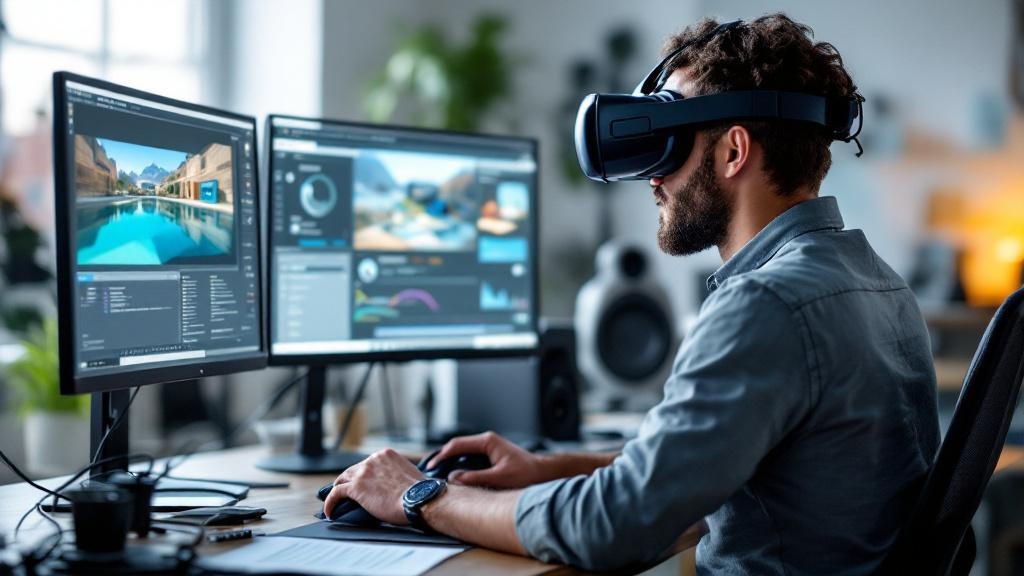
VR software development is the kind of project where the budget conversation starts with a number and ends with a spreadsheet. We've shipped across Meta Quest, WebGL, Apple Vision Pro, and museum installations — and the cost and timeline questions are always the same. This post answers them directly, using two projects where we have real delivery data: Immersive Exposure, a VR education platform that shipped to the Meta Quest App Store ahead of schedule, and Iman VR, a historically accurate museum-grade reconstruction for the International Fair and Museum of the Prophet's Biography.
Neither project went the way a generic estimate would predict. That's the point.
What Actually Drives VR Software Development Costs
Before quoting a number, any honest studio needs to know four things: platform, environment count, asset strategy, and interactivity model. These four variables determine the majority of your budget before a single line of code is written.
Platform is the first fork in the road. Standalone Meta Quest development — what we used for Immersive Exposure — has a different cost structure than PC VR, Apple Vision Pro spatial experiences, or WebGL. Standalone means you're constrained by the headset's onboard GPU, which pushes you toward disciplined asset optimization. PC VR removes that ceiling but adds a hardware dependency that limits enterprise rollout. Apple Vision Pro introduces SwiftUI and RealityKit as the native stack, which is a different engineering discipline from Unity or Unreal. Cross-platform from day one is almost always more expensive than it sounds — the QA surface area multiplies with every additional target.
Environment count is the second lever. One well-crafted interactive environment is a different project from ten. For Iman VR, each historically accurate space required research-backed modeling — we couldn't pull from an asset store and call it done. The artifacts, architecture, and narrative elements had to be reconstructed with museum-grade fidelity. That takes time, and it should. For a corporate VR training room with a defined set of interactions, the asset count is manageable. For an immersive journey through historical spaces, it isn't.
Asset strategy — whether you're building custom 3D assets, licensing existing ones, or some combination — is often where clients underestimate spend. Custom assets are not optional when the brief requires historical accuracy, brand accuracy, or a specific visual identity that no marketplace provides. They are, however, the most compressible cost line when scope is flexible.
Interactivity model covers everything from passive 360° video to full physics-based hand interaction. Immersive Exposure included interactive 3D photography lessons and a virtual community room — both required purpose-built interaction design and UI systems. Passive experiences cost less to build. Deeply interactive ones, especially those with multiplayer or AI-driven elements, cost proportionally more.
Timeline Realities: What Shipping Early Actually Requires
Immersive Exposure shipped to the Meta Quest App Store ahead of its deadline. The client noted: "Released early on the Meta Quest app store, meeting expectations. Responds quickly and follows up promptly."
That outcome didn't happen because we worked faster than other studios. It happened because scope was locked before production started. Every week spent in pre-production defining the exact lesson interactions, the community room feature set, and the Meta Quest certification requirements was a week that didn't get spent on mid-production rework.
The studios that prototype forever share one trait: they start building before the MVP boundary is defined. When the client can still change the core interaction model in week six of development, the project doesn't have a timeline — it has a direction. Those are different things.
For standalone headset projects specifically, two phases reliably consume more time than initial estimates allow: motion comfort iteration and hand-tracking refinement. Locomotion that feels fine to an experienced VR developer can cause discomfort for a first-time user within minutes. Getting that right requires testing with real users, not just internal QA. Budget four to eight weeks for comfort iteration on any standalone project where the end user is not a daily VR user.
Meta Quest App Store certification adds another variable. The review process has specific technical requirements — performance thresholds, content guidelines, metadata standards — and a first submission that fails review can add two to four weeks to a timeline. We've been through the process enough times that we build certification requirements into the engineering spec from the start, not as a final checklist.
The vr software development Stack Decision: Unity, Unreal, or Something Else
For the majority of enterprise VR projects we deliver, Unity is the right choice. It has the broadest platform support, the most mature Meta Quest SDK integration, and a large enough talent pool that team scaling is practical. Our breakdown of Unity vs. Unreal for enterprise VR training goes deeper on this — but the short version is that Unreal's visual ceiling is higher, and Unity's deployment flexibility is wider. For most enterprise clients, deployment flexibility wins.
There are exceptions. If a client is building for Apple Vision Pro as a primary target, the native visionOS stack — RealityKit and SwiftUI — gives better platform integration than Unity PolySpatial for certain use cases. If a client needs no-download access via browser, Unity WebGL is the right answer; it's what we used for NBK Virtugate, where bank employees explore a virtual environment without installing anything.
The choice of engine is not just a technical preference — it affects your hiring pool, your asset pipeline, your iteration speed, and your long-term maintenance cost. Lock it early and stick with it.
What Museum-Grade VR Actually Costs: Lessons from Iman VR
Iman VR sits at the complex end of the cost spectrum. Historically accurate reconstruction of spaces, artifacts, and narratives for a museum installation is not a project where you can compress the asset budget without compromising the brief. The Iman VR project required environments that could stand up to scrutiny from historians and museum visitors simultaneously — which meant research, reference gathering, iterative modeling, and review cycles that a standard enterprise VR project doesn't need.
This is worth stating plainly for any organization considering a heritage, museum, or cultural VR experience: the asset production is the project. The engineering to run it is important but relatively predictable. The 3D reconstruction of historically accurate spaces is where the time and cost actually live. Clients who budget generously for engineering and thinly for 3D art end up with technically excellent experiences that look wrong. That's a difficult conversation to have after the fact.
The lesson for enterprise clients outside the museum context is the same: identify your highest-fidelity requirement early, and budget around it. Don't treat 3D art as a line item to compress.
Platform Distribution: Meta Quest, PC VR, and the WebAR Middle Ground
The Meta Quest App Store is the most accessible distribution channel for standalone VR — the oculus app ecosystem has matured significantly, and the meta quest app discovery mechanisms have improved. For enterprise deployments, the meta quest pc app and the broader quest pc app ecosystem allow tethered high-fidelity rendering when the headset hardware alone isn't sufficient. The oculus pc app and meta pc app infrastructure also supports enterprise device management at scale, which matters when you're deploying to fifty training rooms rather than one demo unit.
For projects where installation friction is a barrier — retail AR, educational experiences for schools, or brand activations — WebGL or WebAR removes the app store dependency entirely. The RSA Road Safety platform we built is now part of the Irish national school curriculum, delivered via browser with no vr downloads required from students or teachers. That distribution model was a deliberate choice, not a fallback.
Knowing which distribution model fits your audience is as important as knowing which engine to use. Virtual reality applications that require headset hardware have a different adoption curve than browser-based 3D experiences. Both are valid — they serve different use cases.
What Separates Studios That Ship from Those That Prototype Forever
We've seen the pattern enough times to describe it precisely. Studios that prototype forever tend to have one or more of these characteristics: no defined MVP scope at project start, a client relationship that allows scope to expand without timeline or budget adjustment, insufficient 3D art capacity relative to engineering capacity, and no prior experience navigating platform certification.
Among the best virtual reality companies and vr software development companies we've observed or competed against, the ones with strong shipping records share the opposite traits: they lock scope before production, they have in-house 3D art so the asset pipeline doesn't bottleneck engineering, and they've been through store submission enough times to treat it as a process rather than an event.
For clients evaluating vendors, the question to ask is not "what have you built?" but "what have you shipped, where, and how long did it take from brief to live?" A portfolio of demos is not the same as a portfolio of shipped products. Immersive Exposure is live on the Meta Quest App Store. Iman VR is installed in a museum. Those are different claims from a prototype that lived on a developer's headset.
The ar development companies and VR studios that compete on demos alone are not the ones you want running a project with a fixed deadline.
A Pre-Production Checklist Before You Start Any VR Build
Before you engage a studio or begin internal development, work through these questions. The answers determine your budget range, your timeline, and your risk profile.
Scope
- [ ] How many distinct environments or scenes does the experience require?
- [ ] Is the asset strategy custom, licensed, or hybrid?
- [ ] Is there a multiplayer or social component?
- [ ] Does the experience require AI, generative content, or Web3 elements?
Platform
- [ ] Which headset or device is the primary target?
- [ ] Is cross-platform support required at launch, or can it come post-launch?
- [ ] Is the distribution channel a public app store, enterprise MDM, or browser?
Content & Fidelity
- [ ] What is the highest-fidelity requirement in the brief (historical accuracy, brand accuracy, photorealism)?
- [ ] Who owns content review and approval, and how many rounds are budgeted?
Timeline
- [ ] Is there a fixed external deadline (event, curriculum launch, museum opening)?
- [ ] What is the MVP — the minimum the experience must do to be considered shipped?
- [ ] Has platform certification time been included in the schedule?
Team
- [ ] Does the studio have in-house 3D art, or does it subcontract?
- [ ] Has the studio shipped to the target platform before?
- [ ] What does post-launch support look like?
Related Reading
- VR Development — Hub
- How to Publish a VR App on the Meta Quest Store
- Custom VR Experience Development: Museum Lessons for Enterprise
- Unity vs. Unreal for Enterprise VR Training
- Immersive Exposure — Project Case Study
- Iman VR — Project Case Study
If you're at the stage of evaluating studios or putting together a brief, the pre-production checklist above is where to start. Once you have answers to those questions, a credible estimate is possible — before that, any number you receive is a guess. Talk to our team at Virtual Verse Studio and we'll work through the scope variables with you directly, based on what we've actually built and shipped.