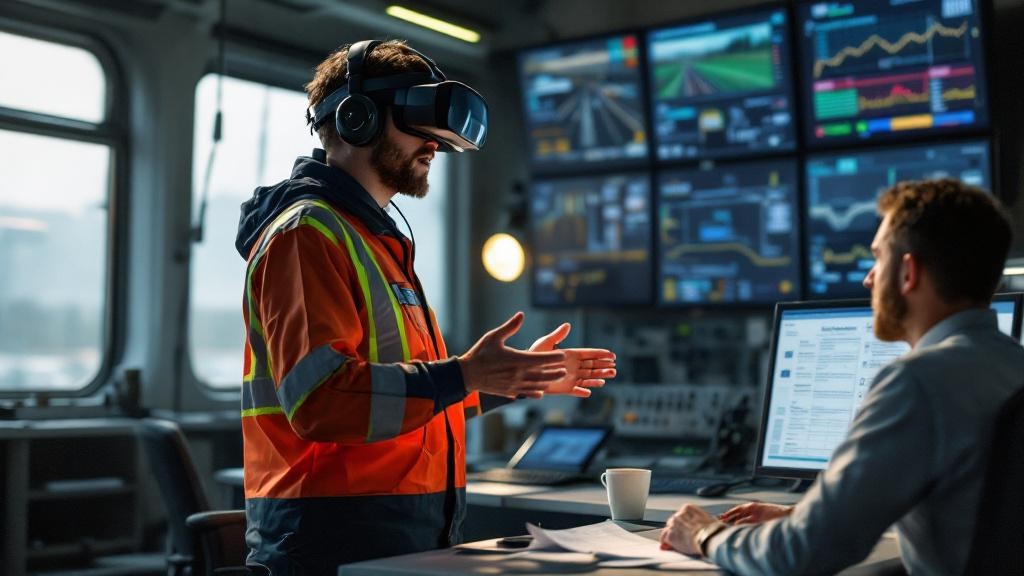
vr training for employees breaks most often at the same point: the moment a trained employee returns to their actual job and behaves exactly as they did before. The platform worked. The headset ran. The completion rate was 94%. And nothing changed.
We built Empathy Lab for a UK rail operator facing exactly that problem. Classroom role-play and e-learning modules were producing staff who could pass assessments but struggled to de-escalate real passenger incidents. The client's goal was not a better test score. It was a different conversation happening in the control room. When they told us — after deployment — that "putting staff through the VR scenarios changed the vocabulary we hear back in the control room", that sentence became the clearest definition of what vr training for employees is actually for.
This post documents the architecture, scenario design decisions, and data instrumentation that make behavioural transfer happen — and the parts that most vendor documentation quietly skips.
Why Completion Rate Is the Wrong Instrument
Before getting into architecture, the measurement problem needs to be stated plainly, because it shapes every engineering decision downstream.
Most enterprise LMS platforms are built around SCORM. SCORM emits a pass/fail boolean and a score. It was designed for slide-based e-learning, where the unit of learning is a page view or a multiple-choice answer. When you bolt a VR experience onto a SCORM integration, you are measuring whether the headset session started and ended — not what happened inside it.
Behavioural transfer in high-stress scenarios depends on what a learner does when the NPC raises their voice, when a passenger becomes aggressive, when the correct procedure conflicts with a faster workaround. None of that lives in a SCORM completion event.
The instrumentation architecture for vr training for employees that actually transfers behaviour looks like this:
- xAPI (Tin Can) over SCORM — full stop. Every decision node emits a statement: actor, verb, object, result, context. You get per-branch data, hesitation timestamps, retry counts, and emotional-state proxies (dwell time on a stressful NPC interaction before the learner acts).
- LRS (Learning Record Store) separate from the LMS — your LMS likely has an LRS bolt-on, but running a dedicated LRS (SCORM Cloud, Watershed, or self-hosted Learning Locker) gives you query flexibility the LMS dashboard never will.
- Session-level physiological proxies — if the headset supports it, controller grip pressure variance and head-tracking micro-movements during high-stress moments correlate with stress response. We log these as custom xAPI extensions, not as primary metrics, but they help L&D teams identify which scenario branches are producing genuine arousal versus flat engagement.
The output of this instrumentation is not a dashboard that says "84% of staff completed Module 2." It is a dataset that says "67% of staff chose the de-escalation response on first attempt; 28% required a second run to make the correct choice; average hesitation before acting on the aggressive-passenger branch was 4.2 seconds." That data supports a manager observation rubric. The SCORM completion rate does not.
Scenario Architecture: The NPC Dialogue Problem
The most common engineering shortcut in vr training for employees is shallow dialogue trees. A vendor builds six scenarios, each with three decision points, each with two choices. Learners pattern-match by the second run. The training becomes a puzzle to solve, not a situation to navigate.
In Empathy Lab, we scripted NPC behaviour with the following constraints:
Minimum branch depth: 5 levels per scenario. A learner's first choice changes the NPC's emotional state, which changes the available responses at level 2, which cascades. A flat tree with three binary choices has 8 terminal states. A 5-level tree with 3 choices per node has 243 — enough that memorisation stops being a viable strategy.
Emotional state machine on the NPC: The NPC is not just playing an animation. It runs a state machine with variables: agitation_level (0–100), trust_level (0–100), time_in_incident (seconds). Each learner action modifies these values. The NPC's next dialogue line is selected from a pool filtered by state ranges, not a fixed script. This means two learners taking the same scenario can have materially different NPC behaviours based on their early choices.
A simplified version of the state update in Unity C#:
public void ProcessLearnerAction(ActionType action) {
    switch (action) {
        case ActionType.EmpathyResponse:
            npcState.TrustLevel = Mathf.Clamp(npcState.TrustLevel + 15f, 0f, 100f);
            npcState.AgitationLevel = Mathf.Clamp(npcState.AgitationLevel - 10f, 0f, 100f);
            break;
        case ActionType.ProcedureFirst:
            npcState.AgitationLevel = Mathf.Clamp(npcState.AgitationLevel + 20f, 0f, 100f);
            break;
        case ActionType.Silence:
            npcState.AgitationLevel = Mathf.Clamp(npcState.AgitationLevel + 8f, 0f, 100f);
            npcState.TrustLevel = Mathf.Clamp(npcState.TrustLevel - 5f, 0f, 100f);
            break;
    }
    EmitXAPIStatement(action, npcState);
    SelectNextDialogue(npcState);
}
The EmitXAPIStatement call fires on every action — this is where your behavioural data lives. The SelectNextDialogue call queries the dialogue pool filtered by AgitationLevel and TrustLevel ranges. The NPC's voice line, animation blend, and spatial behaviour (backing away, stepping closer) are all driven by the current state values, not a pre-authored sequence.
Domain-specific scripting: Generic "angry customer" scenarios do not transfer to rail. The Empathy Lab scenarios were co-written with rail operations staff and include incident types specific to that environment — delayed service explanations, accessibility-related complaints, fare dispute escalations. The vocabulary in the NPC dialogue matches what staff actually hear. This specificity is what creates the encoding that changes the language staff use afterward.
Performance Architecture: The Frame Rate Trap
Simulator sickness in vr training for employees is an engineering problem before it is a user problem. If your adoption failure rate exceeds 5% due to discomfort, the first thing to audit is frame rate consistency — not the headset model or the user's susceptibility.
The failure mode we see most often in enterprise VR builds: a Unity scene that maintains 72fps in the editor but drops to 55-60fps on the target standalone headset during NPC-heavy moments. The developer tested on a PC. The headset runs a mobile GPU. The drop happens at the exact moment the scenario is most demanding — a high-agitation NPC with particle effects and multiple audio sources — which is also the moment the learner most needs stable presence.
Specific constraints we enforce for standalone headset deployment:
Draw call budget: Hard cap at 150 draw calls per frame for the environment. NPCs are batched separately. Use GPU instancing for repeated environment assets (seats, signage, fixtures). Static batching for everything that does not move.
Texture compression: ASTC 6x6 for environment textures on Quest-class hardware. Not ETC2. ASTC gives better quality-per-byte on the Adreno GPU and reduces memory pressure during scene transitions.
Audio source limit: Max 8 simultaneous audio sources active. In a scenario with an agitated NPC, ambient crowd audio, and PA announcements, it is easy to blow past this. We use an audio manager that pools sources and prioritises by proximity and scenario state:
// AudioManager: priority queue, max 8 active sources
public void RequestAudio(AudioClip clip, Vector3 position, int priority) {
    if (activeSources.Count < MAX_SOURCES) {
        PlayImmediate(clip, position);
    } else {
        var lowest = activeSources.OrderBy(s => s.priority).First();
        if (priority > lowest.priority) {
            lowest.Stop();
            activeSources.Remove(lowest);
            PlayImmediate(clip, position);
        }
    }
}
Foveated rendering: Enable fixed foveated rendering at the highest level the headset supports. On Meta Quest 3, this is XRSettings.eyeTextureResolutionScale combined with the OVR foveation API. Full-resolution rendering in the peripheral field is wasted GPU budget in a scenario where the learner's attention is on the NPC face.
xAPI Configuration: What to Actually Log
Most xAPI implementations in enterprise VR log three things: session started, session ended, score. That is marginally better than SCORM and produces the same useless dashboard.
For behavioural transfer measurement, the xAPI statement schema needs to capture the decision graph. Every branch point is a verb-object pair. The result extension carries state values at the moment of decision:
{
  "actor": { "mbox": "mailto:employee_id@operator.rail" },
  "verb": { "id": "https://vvs.xapi/verbs/chose", "display": {"en": "chose"} },
  "object": { "id": "https://vvs.xapi/activities/empathy-lab/scenario-2/node-14" },
  "result": {
    "extensions": {
      "https://vvs.xapi/ext/npc-agitation": 72,
      "https://vvs.xapi/ext/npc-trust": 34,
      "https://vvs.xapi/ext/hesitation-ms": 4200,
      "https://vvs.xapi/ext/action-type": "EmpathyResponse",
      "https://vvs.xapi/ext/attempt-number": 1
    }
  },
  "context": {
    "registration": "session-uuid",
    "extensions": {
      "https://vvs.xapi/ext/scenario-id": "aggressive-passenger-delay",
      "https://vvs.xapi/ext/headset-model": "Meta Quest 3"
    }
  }
}
The hesitation-ms field is the one L&D teams underuse. Learners who hesitate for 3+ seconds before a de-escalation response are flagging uncertainty — they know the answer but are not confident. That is different from a learner who acts immediately with the wrong choice. The remediation for each is different. You cannot see this distinction in a quiz score.
LMS Integration and the MDM Problem
Enterprise IT teams will ask two questions before any vr training for employees deployment goes live: how does it integrate with the LMS, and how are the headsets managed at scale.
LMS integration: If your LMS supports xAPI natively (Cornerstone, Docebo, SAP SuccessFactors with the right module), route statements directly. If it only supports SCORM, run a dedicated LRS and build a sync layer that translates aggregate xAPI session data into a SCORM completion event for the LMS record — while keeping the full statement log in the LRS for L&D analysis. Do not sacrifice the raw data to satisfy an LMS that was built for slide decks.
MDM for headsets: Meta for Business (formerly Meta Quest for Business) supports MDM enrollment via Microsoft Intune or VMware Workspace ONE. Enroll headsets before they leave your hands. Push the APK via the MDM rather than sideloading manually. Set kiosk mode so staff cannot exit the training app to the home environment. These three steps eliminate 80% of the IT support tickets you will otherwise receive.
The Scenario Design Specification L&D Buyers Should Demand
When commissioning vr training for employees, the scenario design document is the deliverable that most procurement processes underspecify. Here is what it needs to contain before a single line of Unity code is written:
- Incident taxonomy: A list of the 8-12 real incident types the training addresses, sourced from actual operational data — not a generic "difficult customer" category.
- NPC emotional state ranges per incident type: What agitation level does each incident start at? What is the ceiling? What triggers escalation?
- Decision node map: A visual graph of every branch point, the available actions, and the NPC state delta for each action. This document is the truth source for both the dialogue writer and the Unity developer.
- Failure state definition: What does a failed scenario look like? Does it loop, hard-end, or branch to a debrief? The debrief moment — where the learner sees what they did and what the NPC state was — is often more valuable than the scenario itself.
- Longitudinal observation rubric: What behaviour should a manager observe on the job 30 days after training? This rubric is co-designed with operations, not L&D alone.
The Empathy Lab engagement started with four weeks of this specification work before we touched Unity. That investment is why the control room vocabulary changed.
Related Reading
- Enterprise VR Training — hub
- VR for Corporate Training: Buyer's Guide 2026
- VR Training ROI: Building the Business Case with Real Metrics
- VR Safety Training: Industries That Deliver ROI
- Empathy Lab — project case study
- NBK Virtugate — project case study
Build-Order Checklist
Use this sequence. Deviating from it — specifically, building Unity scenes before the scenario specification is locked — is the most reliable way to ship a VR training platform that passes QA and fails on the job.
Phase 1 — Specification (weeks 1–4)
- [ ] Collect incident taxonomy from operational data (minimum 8 incident types)
- [ ] Define NPC emotional state machine variables and ranges
- [ ] Complete decision node map for all scenarios — reviewed by domain expert and legal/compliance
- [ ] Define xAPI statement schema including custom extensions
- [ ] Define longitudinal observation rubric with operations team
Phase 2 — Prototype (weeks 5–8)
- [ ] Build one scenario end-to-end in Unity with placeholder art
- [ ] Implement NPC state machine and dialogue selection logic
- [ ] Wire xAPI emission on all decision nodes — verify in LRS before proceeding
- [ ] Test on target headset hardware; confirm frame rate ≥ 72fps at worst-case NPC state
- [ ] Run simulator sickness pilot with 5 staff; failure rate > 5% triggers performance audit before Phase 3
Phase 3 — Production (weeks 9–16)
- [ ] Build remaining scenarios using validated architecture from prototype
- [ ] Apply texture compression (ASTC 6x6), draw call budget, and audio source limits
- [ ] Enroll headsets in MDM; configure kiosk mode and APK push
- [ ] Integrate LRS; configure LMS sync layer if LMS is SCORM-only
- [ ] Conduct L&D team walkthrough of xAPI dashboard — confirm they can read hesitation data and branch-choice distributions
Phase 4 — Deployment and Measurement (weeks 17–24)
- [ ] Deploy to pilot cohort (15–30 staff); collect xAPI data for 4 weeks
- [ ] Administer manager observation rubrics at 2-week and 4-week marks
- [ ] Compare incident report language pre/post (qualitative analysis)
- [ ] Identify scenarios with high retry rates — these are either too hard or poorly scripted; distinguish before fixing
- [ ] Lock 90-day longitudinal KPI review into the project plan before full rollout
If you are specifying or commissioning a vr training for employees platform and want a team that has shipped this end-to-end — scenario specification through MDM deployment and longitudinal measurement — talk to us at Virtual Verse Studio. We will tell you what your brief is missing before we quote it.