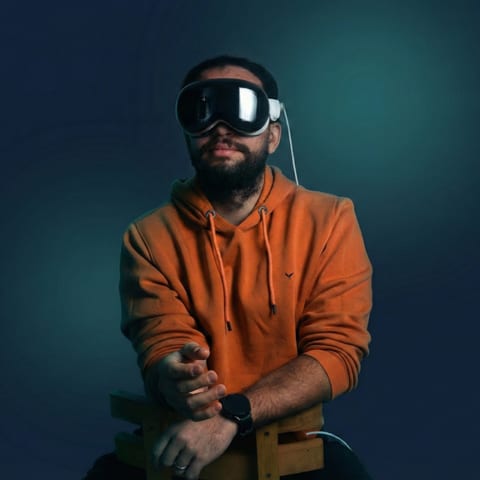

Building an interactive ai avatar that tracks a visitor, reads their gesture, and responds in real time is not a video-generation problem. We learned this the hard way across two projects — Meet Eva Here at ArtScience Museum Singapore and Work Spatial, our AI-driven XR onboarding MVP — and the mistakes were consistent enough that they deserve a direct post-mortem.
This is not a critique of tools like HeyGen. The interactive avatar HeyGen workflow is excellent for what it is — asynchronous video generation with conversational response. The problem is that enterprise teams routinely spec a HeyGen workflow when they need a spatial computing pipeline, and the gap between those two things is where projects fail.
Here are six specific mistakes, what broke, and what we do now.
1. We Treated Speech Generation as an Async System — Not Part of the Latency Budget
What we did: On an early build, we integrated a cloud-based text-to-speech service for the avatar's spoken responses. The service was high quality. We tested it in isolation, latency looked acceptable, and we moved on. We did not add it to our overall latency budget alongside gesture recognition, decision logic, and animation execution.
Why it broke: In isolation, 600–800ms for speech synthesis felt fine. Inside the full pipeline — gesture detected, intent classified, response selected, speech generated, lip-sync triggered, animation executed — that 600ms compounded into 2.2 seconds of total delay. Visitors gestured, waited, saw nothing happen, gestured again, and then got a doubled response. The avatar appeared broken.
What we do now: We build a latency budget before writing a line of code. Every component gets an allocation: perception (target ≤100ms), gesture classification (≤300ms), decision logic (≤100ms), speech (≤600ms if synthesized, ≤0ms if pre-recorded), animation execution (≤200ms). Total target: under 1.2 seconds for most interactions. If the speech system alone threatens to consume half the budget, we switch to a pre-recorded response library for that deployment. On Meet Eva Here, the curated speech library kept us under 900ms for the majority of visitor interactions.
2. We Spec'd the Gesture Recognition Model Against Lab Data, Not Deployment Conditions
What we did: We trained and validated our gesture recognition model on a clean dataset — controlled lighting, consistent backgrounds, standard clothing. Accuracy looked strong. We shipped it.
Why it broke: The ArtScience Museum has dramatic, variable lighting. Visitors wore hats, scarves, and reflective jackets. The physical distance from the sensor varied by more than we anticipated. Accuracy in deployment dropped significantly from our lab figures. The avatar was misreading gestures, triggering wrong responses, and — worse — confidently responding to gestures that weren't there. Visitors lost trust in the system within the first few seconds.
What we do now: We treat location-specific retraining as a non-negotiable line item, not an optional optimization. Before launch, we collect gesture data in the actual deployment space, with actual lighting, at the actual sensor distance. We also build explicit confidence thresholds into the avatar's behavior — if gesture confidence falls below a defined threshold, the avatar responds with a neutral acknowledgment ("I didn't quite catch that — try again") rather than confidently misinterpreting. Graceful uncertainty reads as more believable than confident error.
3. We Designed Gaze Last — After Everything Else Was Built
What we did: On our first spatial avatar build, gaze direction was an afterthought. We focused on gesture recognition, speech, animation, and rendering quality. Gaze was adjusted in the final week before delivery — a few inspector tweaks, a fixed look-at target, done.
Why it broke: Humans read gaze before they register anything else about a character. An interactive avatar ai installation where the avatar stares at a fixed point — regardless of how sophisticated its speech or gesture response is — reads as a screen playing a video, not a character that is aware. Visitors at the museum tested this within seconds: they moved left, the avatar didn't follow, and the illusion collapsed. The engagement pattern we observed was consistent: visitors who saw the avatar fail to track them disengaged and didn't re-engage.
What we do now: Gaze is designed in the first sprint, not the last. We implement a gaze management system that tracks the nearest attentive visitor, smoothly transitions between targets when multiple visitors are present, and applies subtle idle gaze variation (micro-movements that prevent the stare from reading as locked). We use inverse kinematics to let the gaze drive subtle head and upper-body orientation — not just eye rotation. This single change, applied to Meet Eva Here after the initial build, had a more visible impact on visitor engagement than any rendering upgrade we made.
4. We Assumed a HeyGen-Style Interactive Avatar Generator Would Scale to Spatial Contexts
What we did: On a client project early in our avatar work, the client had seen a live avatar ai demo — the kind where a user types a question and a photorealistic talking head responds in near-real-time. They wanted exactly that, but in a physical retail space where visitors could walk up and interact. We initially scoped the project around a commercial video-generation API — the category that includes heygen interactive avatar pricing tiers and similar services — because the quality was high and the timeline was tight.
Why it broke: The API streamed video. It did not know where visitors were standing. It did not respond to gesture. It could not turn toward an approaching visitor or acknowledge someone entering the frame. It rendered into a flat display, not a spatially-coherent 3D character. The client's vision — an avatar that "knows you're there" — was architecturally impossible with a video-generation backend. We caught this before delivery, but the rework cost us two sprints and strained the timeline.
What we do now: We run a mandatory discovery question in every avatar brief: "Does the avatar need to know where the user is in physical or virtual space?" If yes, we immediately scope for a Unity-based real-time pipeline with local perception hardware — not a cloud video-generation API. The distinction between a live avatar heygen workflow and a spatial computing pipeline is not a nuance; it's the entire architecture. We document this in writing before scoping begins. Our VR development practice is built around this distinction.
5. We Under-Invested in Behavioral Design and Over-Invested in Visual Fidelity
What we did: On an early installation, we spent a disproportionate amount of build time on the avatar's visual quality — mesh resolution, texture detail, shader complexity. The avatar looked impressive in screenshots. In deployment, visitors exhausted its behavioral repertoire in under two minutes. There were only so many things the avatar could say and do; once visitors had seen all of them, they left.
Why it broke: Visual fidelity creates a first impression. Behavioral depth creates engagement. An avatar that looks photorealistic but responds to every gesture with one of four canned phrases is a novelty, not an experience. The uncanny valley also punishes photorealism more harshly than stylized rendering — a slightly-off realistic face reads as wrong in a way that a clearly-stylized face does not. We had optimized for the screenshot, not the sustained interaction.
What we do now: We allocate design sprints explicitly to behavioral scripting and interaction tree development before visual polish begins. For Work Spatial, the generative AI backend meant the avatar could handle a much wider range of conversational inputs than a scripted system — but we still authored the behavioral envelope carefully: what topics the avatar would engage with, how it would redirect out-of-scope questions, how it would handle silence or repeated queries. The AI generates responses; the behavioral design shapes the character. Both matter. Neither substitutes for the other.
6. We Didn't Scope Perception Hardware as a First-Class Project Dependency
What we did: On an installation project, we scoped the software build thoroughly — Unity pipeline, avatar rig, gesture recognition model, speech system — and treated the perception hardware (cameras, depth sensors) as a procurement item the client would handle separately. We assumed standard hardware would arrive, we'd integrate it, and the system would work.
Why it broke: The hardware the client procured was not what we had built against. Sensor field of view, depth range, and SDK compatibility were all different from our development environment. Integration consumed three weeks of a six-week delivery window. We also discovered that the physical installation space had constraints — mounting positions, cable routing, ambient IR interference — that changed the effective detection zone entirely. The gesture recognition model we'd trained for a 2.5-meter detection range was now operating at 1.8 meters in one direction and 3.5 meters in another.
What we do now: Perception hardware is specified in the project brief alongside software requirements. We define the exact sensor models, mounting positions, power requirements, and SDK versions before development begins — and we include a site survey as a project phase for any physical installation. We've also built hardware abstraction into our avatar pipeline so that sensor inputs are normalized before reaching the gesture classification layer, which reduces the fragility of retraining when hardware changes. For any enterprise team evaluating an interactive ai avatar for a physical space, the hardware spec is not a procurement afterthought — it is a design decision that determines what the software can do.
The Do-Not List
If you're building a spatially-aware interactive ai avatar — whether for a museum installation, enterprise XR onboarding, or a retail environment — print this and put it on the wall.
Do not:
- Spec a HeyGen interactive avatar demo as the reference point for a spatial installation. Video generation and real-time spatial avatars are different architectures.
- Treat speech synthesis latency as separate from your overall latency budget. It compounds.
- Train your gesture recognition model only on lab data. Retrain on-site before launch.
- Design gaze last. It determines whether visitors believe the avatar is aware of them.
- Procure perception hardware without specifying model, SDK, and mounting position in advance. Hardware mismatches will eat your delivery window.
- Prioritize visual fidelity over behavioral depth. Photorealism creates expectations that limited behavioral repertoire will immediately disappoint.
- Use a cloud-only architecture for perception and decision logic. Round-trip latency will exceed visitor tolerance.
- Assume an interactive ai avatar free or open-source toolkit gives you a production-ready pipeline. Components ≠ system.
- Skip the site survey for physical installations. Lighting, space dimensions, and IR interference will all affect your detection zone.
Related Reading
- AI Avatar Museum Installation: Meet Eva Here Case Study
- Work Spatial: AI-Driven XR Onboarding Platform
- Meet Eva Here Project
- Work Spatial Project
- VR & XR Development Services
If you're scoping an interactive ai avatar project — for a physical installation, an XR training platform, or a spatial onboarding experience — we're happy to run a technical discovery session before you commit to an architecture. We've built this in museums, enterprise platforms, and WebGL environments, and we know where the traps are. Talk to us at Virtual Verse Studio.