
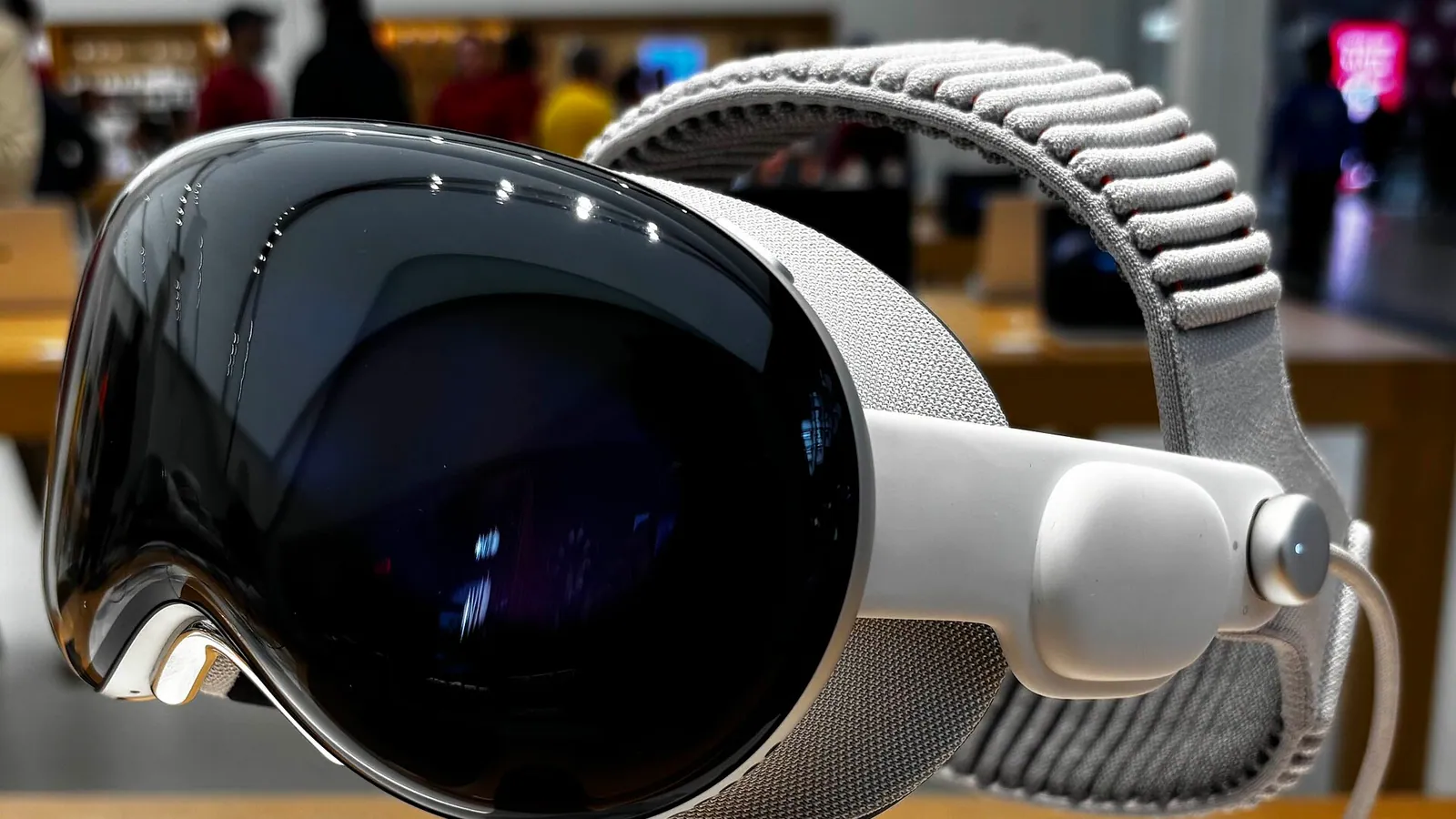
If you are deciding whether Apple Vision Pro belongs in your business, the honest answer is this: it pays off in a handful of specific use cases, not as a general-purpose computer for every desk. By Apple's Q1 2024 earnings call, CEO Tim Cook said over half of the Fortune 100 companies had already incorporated Apple Vision Pro into their operations (Apple), so this is past the curiosity stage. The open question is no longer whether large enterprises use it, but where it actually earns its $3,499 cost.
This guide maps the four use cases that pay off today, what the early ROI evidence shows, and how we think about spatial deployments as a practitioner studio. For the build-side decisions, our companion guide on how to decide your Vision Pro app development build strategy covers renderers, interaction models, and deployment checks.
Who Is Actually Using Apple Vision Pro in the Enterprise?
Adoption is broad and concrete, not hypothetical. By Apple's Q1 2024 earnings call, over half of the Fortune 100 had incorporated Vision Pro into their operations (Apple), and named deployments back that up. KLM Royal Dutch Airlines built an "Engine Shop" app on Vision Pro to improve technical maintenance with spatial computing (Apple Newsroom).
What strikes us as a spatial-computing studio is the type of company moving first. These are not consumer-tech firms chasing novelty. They are airlines, manufacturers, and industrial operators with expensive physical assets and high-skill workforces. That profile is the tell. Vision Pro earns attention where the work is already three-dimensional and where mistakes, downtime, or slow onboarding carry real cost. The headset becomes a way to put 3D information in front of the people who need it, exactly where the work happens.
The deployment pattern we see most often is a narrow pilot inside one team, with a single high-value workflow, rather than a company-wide rollout. That is the right instinct. Spatial computing rewards depth over breadth.
What Are the Best Enterprise Use Cases for Apple Vision Pro?
Four use cases carry the strongest business case today, and each shares one trait: the underlying work is genuinely three-dimensional or hands-busy. Spatial training environments alone can lower onboarding time by 20-40% and remove the need for physical prototypes (CMARIX). That single statistic explains why training leads the list. The other three follow the same logic.
Here is how the four use cases compare on where the value comes from and who tends to adopt first.
| Use case | Where the ROI comes from | Typical early adopters |
|---|---|---|
| Spatial training & onboarding | Faster ramp, no physical prototypes, safe practice | Aviation, manufacturing, healthcare |
| 3D design & data visualization | Reviewing real-scale models before they are built | Industrial design, architecture, engineering |
| Field service & remote assistance | Hands-free guidance, fewer expert site visits | Maintenance, utilities, complex equipment |
| Immersive collaboration | Distributed teams sharing 3D context, not slides | Engineering, design, executive review |
Spatial Training and Onboarding
Training is where the clearest ROI sits. Spatial training environments can lower onboarding time by 20-40% and remove the need for physical prototypes (CMARIX), and those two effects compound across a large cohort. A new technician who practices a procedure spatially, with the equipment rendered at real scale, arrives at the real machine already familiar with it.
We have seen this dynamic firsthand on adjacent platforms. Our NBK banking onboarding work and our Immersive Exposure title on Quest both show how new hires absorb a spatial narrative faster than a slide deck. The device changes; the underlying lesson holds. For a deeper look at this pattern at scale, our enterprise VR training work covers how custom spatial training programs are scoped and delivered.
3D Design and Data Visualization
Design review is the second strong fit, because reviewing a 3D object on a flat screen throws away the depth the object actually has. Vision Pro lets teams view a model at true scale, walk around it, and catch problems before anything is physically built. JigSpace, a spatial presentation platform, illustrates the commercial upside: it reported roughly 50,000 Vision Pro installs and 80,000 hours of use, and cut sales cycles from six months to six weeks (7T).
That six-month-to-six-week compression is the kind of number that gets a deployment funded. When a buyer can see a product at full scale in their own space, the explaining-and-imagining phase of a sale collapses.
Field Service and Remote Assistance
Field service works because the technician's hands are busy and a flat screen would just be in the way. With high-resolution passthrough, a worker keeps full view of the equipment while spatial overlays and a remote expert guide the task. KLM's "Engine Shop" app is a clear example of this category, built to improve technical maintenance with spatial computing (Apple Newsroom).
The economics here are about expert time. A senior specialist who can guide several remote sites in a day, instead of flying to one, is the entire business case.
Immersive Collaboration
Collaboration is the fourth fit, and it is the one most likely to be oversold, so we are deliberate about it. Vision Pro adds value to remote work when teams need to share 3D context, a model, a layout, a data scene, not when they need another video call. Enterprises connect it to Microsoft 365, Zoom, and Webex for exactly this reason (Apple), so spatial sessions sit beside familiar tools rather than replacing them.
What ROI Are Enterprises Actually Seeing?
The early ROI evidence clusters around two things: time saved and physical artifacts avoided. Spatial training can cut onboarding time by 20-40% and eliminate the need for physical prototypes (CMARIX), while JigSpace cut sales cycles from six months to six weeks across roughly 50,000 installs and 80,000 hours of use (7T). Both are process-compression stories.
That is the pattern worth internalizing. Vision Pro does not generate ROI by being a better screen. It generates ROI when it removes a slow, expensive, physical-world step, the prototype that no longer has to be machined, the sales meeting that no longer needs a shipped sample, the site visit that no longer requires a flight. In our experience scoping spatial work, the projects that fund themselves are the ones where you can name the specific physical thing the device replaces. When you cannot name it, the business case is usually weaker than it looks.
There is a quieter signal underneath the headline adoption number, too. With over half of the Fortune 100 already on the device (Apple), the risk profile has shifted: spatial computing is no longer the speculative bet it was, and procurement teams increasingly treat a focused Vision Pro pilot as a defensible, mainstream investment rather than an experiment.
How Does Vision Pro Fit Into an Existing Enterprise Stack?
It fits by connecting to the systems you already run, which is the most underrated part of the enterprise story. Enterprises integrate Vision Pro with SAP, Salesforce, and NVIDIA Omniverse for data and 3D visualization, and with Microsoft 365, Zoom, and Webex for collaboration (Apple). That means a deployment can read from your systems of record instead of becoming another disconnected island.
This is where we spend a disproportionate amount of planning time, because integration, not the spatial experience, is usually what decides whether a pilot survives contact with IT. A training app that writes completion records back to the systems your L&D team already uses is a product; a beautiful demo that knows nothing about your data is a prototype. The same discipline applies on Vision Pro as on any enterprise XR build: design the data flow first, then the spatial experience on top. Apple's choice to support SAP, Salesforce, and the rest is what makes that flow possible without bespoke plumbing for every connection.
How We Approach Spatial Deployments
We start from the use case, not the hardware, and we are blunt about when Vision Pro is the wrong answer. If the work is a flat dashboard or a document, a spatial wearable adds cost without adding value. We push toward Vision Pro only when the work involves true 3D information or hands-busy tasks, the exact territory where the training, design, field service, and collaboration cases above earn their keep.
When the fit is real, our sequence is consistent: name the physical step the device removes, design the data integration into your existing stack, then build the spatial experience to match. That order is deliberate. It is the same approach behind our broader enterprise VR training programs and our onboarding work for clients like NBK, and it transfers cleanly to visionOS. For the platform-level technical choices, the renderer, the interaction model, the deployment checks, our Vision Pro app development build strategy guide is the companion piece to this one.
Apple Vision Pro is no longer a question of if enterprises will use it. With over half of the Fortune 100 already on board, the real question is where. Choose the use case where spatial computing removes a costly physical step, wire it into the systems you already run, and the device stops being a gadget and starts being a measurable line item. To see where the platform fits your operations, our Apple Vision Pro development page is the place to start.