If you are planning to build for Samsung Galaxy XR, the short version is this: it is an Android device first and an XR device second, and that ordering is the whole story for developers. Galaxy XR, codenamed Project Moohan during development, is the first headset powered by Android XR, and it runs standard Android apps and native made-for-XR apps side by side. We build on Unity 6, ARCore, OpenXR, and Android every day, and Galaxy XR sits squarely on that stack.
This guide covers the hardware, the dual app model that defines the platform, the SDKs you will actually use, and how an app gets onto the device.
What Is the Samsung Galaxy XR (Project Moohan) Hardware?
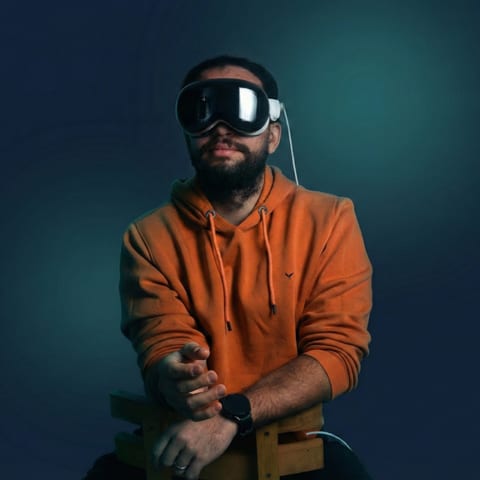
Samsung Galaxy XR launched in October 2025 at $1,799, running a Snapdragon XR2+ Gen 2 with dual micro-OLED displays, 16GB of RAM, and 256GB of storage (Road to VR, 2025). It is a premium standalone headset, codenamed Project Moohan through its development, and the first device to ship with Android XR.
The spec sheet matters less for what it scores and more for what it signals. Micro-OLED panels mean text and fine UI render sharply, which is why panel-style productivity apps are a first-class use case here, not an afterthought. The XR2+ Gen 2 is a known quantity for anyone who has shipped to recent standalone headsets, so the performance envelope is familiar territory.
For developers, the practical read is that Galaxy XR is a capable, high-resolution target with a chip your team has likely optimized against before. The unfamiliar part is not the silicon. It is the platform model sitting on top of it, which is where the next section goes.
How Does the Samsung Galaxy XR App Model Work?
The defining feature for developers is that devices powered by Android XR run standard Android mobile apps alongside made-for-XR native apps (Android Developers, 2025). Two app classes, one device. Your existing Android app can appear as a 2D panel in the user's space with zero XR-specific code.
That dual model changes how you plan a build. You are not forced into an all-or-nothing rewrite. An existing Android app gets a "new home" in the headset on day one, then you decide, feature by feature, where spatial depth actually earns its keep.
Standard Android apps as spatial panels
Your current app, the one already in production, can run on Galaxy XR unchanged. It renders as a floating panel the user can place and resize in their environment. This is the lowest-friction entry point in XR right now: there is no porting effort to simply be present on the device.
Made-for-XR native apps
The other class is built for the headset from the ground up. These apps use depth, 3D content, hand and eye input, and the full spatial canvas. This is where immersive training, 3D product visualization, and games live. Most teams reach this tier deliberately, after the panel version proves the audience is there.
The smart sequencing, in our experience scoping XR work, is to ship the panel first and add spatial features where they change the user's outcome, not everywhere you technically can. Why pay for depth on a settings screen nobody rotates in 3D?
Which SDKs and Engines Do You Use for Samsung Galaxy XR?
You have two main paths, and the right one depends on the app. Android XR supports the OpenXR 1.1 standard, and the Jetpack XR SDK adds Jetpack Compose for XR, Material Design for XR, Jetpack SceneCore, and ARCore for Jetpack XR (Android Developers, 2025). That OpenXR support is what lets existing engine projects move across cleanly.
Here is how the two paths compare in practice.
| Path | Best for | What you use | Reuses |
|---|---|---|---|
| Jetpack XR SDK (native) | Panel apps, productivity, extending an Android codebase | Jetpack Compose for XR, Material Design for XR, SceneCore, ARCore for Jetpack XR | Existing Android/Kotlin app and UI |
| Unity 6 + OpenXR | Immersive 3D, training, visualization, games | Unity 6 engine, OpenXR 1.1 runtime | Existing Unity and OpenXR projects |
The Jetpack XR SDK path
If your app is panel-first or grows out of an existing Android codebase, the Jetpack XR SDK is the native route. Jetpack Compose for XR and Material Design for XR let your team work in tools they already know, while SceneCore and ARCore for Jetpack XR add the spatial and tracking layers. For a deeper breakdown of these SDKs, see our guide to Android XR app development.
The Unity 6 and OpenXR path
For immersive, 3D-heavy experiences, Unity 6 with OpenXR is the stronger fit. Because Android XR speaks OpenXR 1.1, an existing OpenXR project, the kind we already ship to other standalone headsets, transfers across with far less rework than a from-scratch build would imply. This is the path most enterprise training and visualization apps will take.
How Do You Get an App onto a Samsung Galaxy XR Device?
Getting a build onto Galaxy XR follows the standard Android pipeline, which is the platform's quiet advantage. Because Galaxy XR runs Android XR, you produce an APK or app bundle and deploy it the way Android engineers already do, then layer XR features through the SDK. The platform runs both standard Android apps and native XR apps, so your deployment target is well-trodden ground (Android Developers, 2025).
In day-to-day terms, the loop looks like Android development with a headset attached. You build, deploy over ADB to the device for testing, and iterate. Native XR features come in through the Jetpack XR SDK; immersive Unity builds deploy through the OpenXR runtime.
The reason this matters: a studio with Android and OpenXR muscle does not face a new toolchain. The build, sign, and deploy steps are familiar, so the real work goes into the spatial design, not into relearning a pipeline. That is a meaningful difference from platforms that demand an entirely separate ecosystem.
How Virtual Verse Studio Approaches Samsung Galaxy XR
Here is the honest position. The platform is new, and we have not yet shipped a named Galaxy XR client project, because almost nobody has. What we have is the exact stack the platform is built on. We have shipped 50+ immersive projects since 2021 on Unity 6, ARCore, OpenXR, Android, and Meta Quest, and Android XR runs on all of it.
So our approach is not speculative. When a client asks about Galaxy XR, we map their app to the dual model first: does this start as a panel that extends an existing Android app, or as a made-for-XR build in Unity 6? That single decision sets the budget, the timeline, and the team. We have made that call dozens of times for other XR targets, and the framework transfers directly.
The transferable expertise is the point. OpenXR experience carries over because Android XR is OpenXR 1.1. ARCore experience carries over because the Jetpack XR SDK includes ARCore for Jetpack XR. Android shipping experience carries over because the deployment pipeline is Android. We did not have to rebuild our capability for this platform; it was already aligned. You can read more on our Android XR development page, and if you are still deciding whether the platform fits, our explainer on what Android XR is covers the fundamentals.
Why Build for Samsung Galaxy XR Now?
The strategic case is that Galaxy XR is a starting point, not an endpoint. Google and Samsung framed it as the first of a broader roadmap of AI-native form factors, including AI glasses (Road to VR, 2025). An app built on the Android XR stack today is positioned for those future devices, not stranded on one headset.
That reframes the early-mover question. You are not betting on a single $1,799 device selling in huge numbers. You are building on a platform Google intends to extend across a family of form factors, using a stack, Android, Unity, OpenXR, that you very likely already own. The cost of entry is low precisely because so little is new.
Samsung Galaxy XR development is less of a leap than the newness of the platform suggests. It is an Android device that runs your existing apps as panels, an OpenXR target your engine projects port to, and the first step on a roadmap Google is clearly committed to. Decide where your app sits in the dual model, lean on the stack you already have, and the build becomes an extension of work you know rather than a gamble on something foreign.