
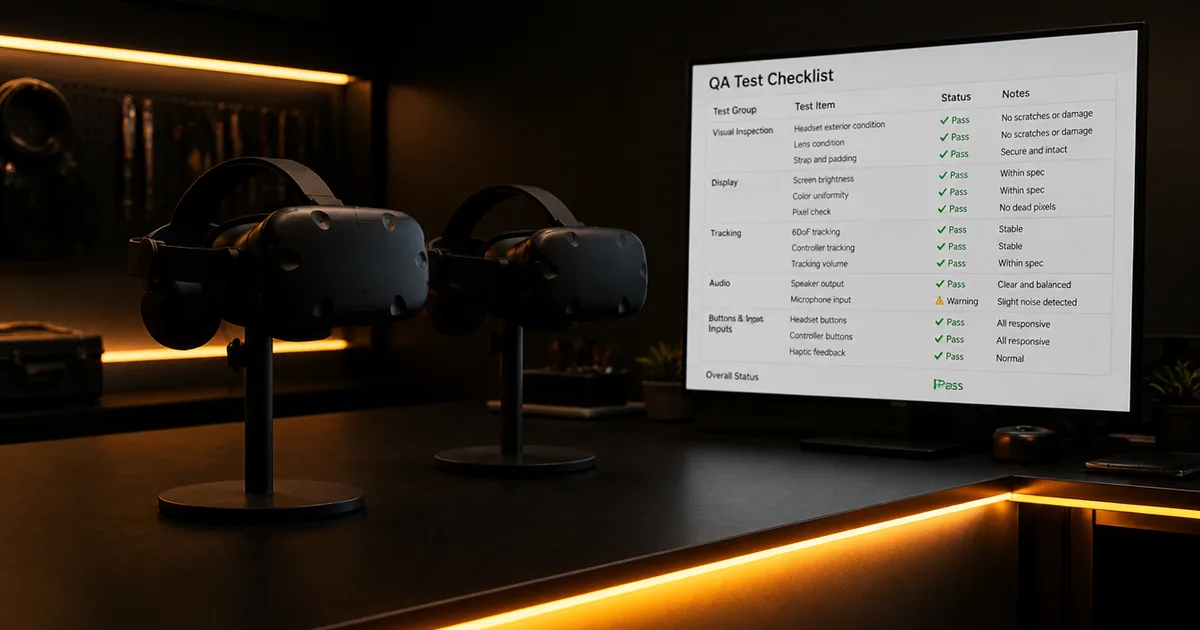
Most VR apps don't die in development. They stall at the finish line, when a feature-complete build hits QA, fails certification, or gets bounced by the store for reasons that have nothing to do with how good the app is. The build works on the developer's headset. It just isn't launch-ready.
Launch readiness is its own discipline. It starts where the build stops and ends weeks after release. We've taken VR development projects all the way through this stretch, including consumer apps on the Meta Quest Store, museum installations, and enterprise training platforms. This post is the launch checklist: the QA passes, the platform certification, the Meta Quest Store submission, and the post-launch work that decides whether a finished build actually ships, and stays shipped.
What Does Launch Readiness Actually Mean for a VR App?
Launch readiness is a sequence of gates, not a single sign-off. Meta requires at minimum two weeks of lead time before a target launch date1, and its review runs in three sequential phases, technical, content, then publishing. A build is launch-ready only when it can clear every gate on the first pass: QA against the platform's Virtual Reality Checklist (VRC), comfort validation, store-asset prep, certification, and a release plan.
The reason this deserves its own playbook is that the skills are different. Building a VR app is an engineering and design problem. Shipping one is a conformance and logistics problem. A team can be excellent at the first and lose a month on the second, because the store doesn't grade your code, it grades your submission package against a checklist.
Key Takeaways
- Launch readiness is a sequence: QA pass, comfort validation, certification, store submission, then managed release. Skip a gate and the store sends you back.
- Meta requires at least two weeks of lead time, and its technical, content, and publishing reviews run sequentially, not in parallel1.
- Most rejections are non-technical: vague screencasts, over-requested permissions, slow privacy policies, dashboard misconfiguration.
- Shipping isn't the finish line, post-launch telemetry and a staged update cadence keep an approved app live.
Here's the part teams underestimate: the things that go wrong at launch are mostly not the hard engineering problems. Performance budgets and the 90 FPS target are real constraints, but those are tradeoffs you settle during the build, not at the gate. We cover them in our companion piece on VR development decisions and tradeoffs. What sinks launches is the unglamorous conformance work nobody scheduled. So the rest of this post follows the order the store does: QA, then certification, then submission, then post-launch.
How Do You Run a QA Pass That a VR App Can Actually Pass?
A VR QA pass is not a single bug sweep, it's a structured run against the platform's certification requirements before the platform runs them for you. Meta reviews every build against its VRC across technical conformance, performance, content, and comfort2. The goal of internal QA is simple: fail your own checklist in private so you never fail Meta's in public, where each failure costs review days.
In our experience, the highest-value QA isn't testing that the app works, it's testing that the app conforms. Two builds can be equally fun and equally stable, and only one passes, because conformance covers things normal playtesting never touches: how the app behaves when the headset is removed mid-session, whether it handles a tracking loss gracefully, whether the boundary system is respected. We run a dedicated conformance pass separate from the feature-QA pass for exactly this reason.
Which QA Checks Catch the Most Rejections?
Three checks catch most preventable rejections. First, performance and comfort: Meta’s current performance VRC distinguishes allowed display refresh rates from a minimum rendering rate of 60 fps, with documented exceptions such as Application SpaceWarp. A chosen 90 FPS target provides a tighter frame budget, but it is not a universal comfort threshold. Test sustained frame pacing at the refresh rate you ship and validate comfort with users; frame rate alone does not establish comfort. Second, permissions hygiene: every permission the build requests must map to a feature a reviewer can see. Third, lifecycle behavior: the app must survive being paused, backgrounded, and resumed without crashing.
Why Does Comfort Validation Decide Whether You Pass Certification?
Comfort validation belongs in release testing, and frame-rate stability is one factor you can measure. Check Meta’s current performance requirements and test against the refresh rate selected for your application3. Sustained frame drops can reduce comfort. A build targeting 90 FPS needs testing in its busiest levels as well as its demo scene; also assess locomotion and camera behavior with users.
The performance work that earns that stable frame rate, foveated rendering, ASTC texture compression, LOD systems, and the broader draw-call budget, is the build-phase engineering we cover separately in our piece on VR development decisions and tradeoffs. For launch readiness, the key point is narrower: those decisions are already locked by the time you reach the gate. Your job at QA is to prove the frame rate holds across the full app, not just the path you demo, because that's exactly the path a reviewer won't take.
Iman VR, an immersive journey through the life of the Prophet Muhammad built for the International Fair and Museum of the Prophet's Biography, is a useful example. The build set asset budgets, polygon ceilings, texture limits, and draw-call caps, before modeling began. That discipline wasn't just an art-pipeline choice. It's what let the app hold its frame rate in a live installation where visitors arrive continuously and the experience can never stutter. Comfort that survives certification is usually decided long before certification, in budgets set early.
What Comfort Settings Do Reviewers Expect to See?
Frame rate isn't the only comfort signal reviewers grade. Locomotion design matters just as much. Artificial locomotion, moving the camera without matching physical movement, induces more discomfort than teleportation or stationary models, so reviewers scrutinize it4. For any app that uses it, comfort settings are not optional: vignetting during movement and a reduced field of view during acceleration are expected mitigations, and a build that omits them invites a content-review note.
New users typically need 5 to 15 minute sessions to build tolerance4, so apps built for long sessions should ship explicit comfort options and session-length guidance. That isn't a weakness to hide at launch, it reads to reviewers as responsible design, and responsible design is exactly what content review rewards.
How Do You Get a VR App Through Meta Quest Store Submission?
Store submission is where a finished build becomes a shipped product, and it's the stage teams plan least. Shipping Immersive Exposure, an interactive VR education platform with 3D photography lessons and a virtual community room, required treating the submission timeline with the same rigor as the build. The client's feedback was direct: "Released early on the Meta Quest app store, meeting expectations. Responds quickly and follows up promptly." Early, not late, because the submission was planned, not improvised.
Meta requires at minimum two weeks of lead time before a target launch date1. That timeline runs sequentially across three review phases: technical review against VRC guidelines, content review for polish and policy compliance, and publishing review for release logistics. Each phase can surface issues requiring correction, and each correction resets the clock on that phase. So the real launch date is set by how many round-trips you trigger, which is set by how clean your submission package is.
The most reliable predictor of rejection is not technical failure. Most rejections stem from issues that have nothing to do with application quality:
- Over-requested permissions. Developers request every available permission as a precaution. Meta reviewers interpret this as unnecessary data access and reject the build5. Request only permissions the application genuinely uses, with explicit justification for each.
- Inadequate screencasts. Meta reviewers do not independently explore applications. The screencast is the primary reference. Screencasts without narration, showing mock screens rather than actual functionality, or failing to walk through core user journeys are rejected at high frequency5. Treat the screencast as a structured product demonstration, not a recording of someone using the app.
- Privacy policy failures. Meta checks that privacy policies load instantly, display business name and contact information clearly, explain data usage explicitly, and match permission requests in scope5. A slow-loading policy page triggers rejection regardless of content quality.
- Dashboard misconfiguration. Wrong app type selection, missing test user accounts, app not switched to Live mode, and required products not enabled in Meta infrastructure all generate instant rejections5. These are entirely preventable with a pre-submission verification pass.
Our detailed, step-by-step walkthrough of the full submission process lives in the Meta Quest app submission guide, which covers each dashboard field and review phase in order.
Here's a pattern most launch guides miss: the rejection categories above are ranked by how late they surface, not how serious they are. Permissions and dashboard issues are cheap to fix but only get caught at submission, when the clock is already running. So the most valuable move is to pull these checks forward into QA, weeks before you ever open the submission console. A reviewer's checklist makes a great pre-flight checklist.
How Do You Manage the Release and the Weeks After Launch?
Approval is the start of release management, not the end of the project. The Meta Horizon Store now hosts over 50,000 applications6, so getting live is the easy part, staying visible and stably rated is the work. A managed release means a staged rollout, live crash and frame-rate telemetry, and a triage plan for the first wave of real-device feedback, before a regression reaches your whole audience.
We've found that the first 72 hours after launch tell you more than the entire internal QA cycle, because real headsets, real network conditions, and real session lengths expose what a test lab can't. So we keep a release runbook: who watches the dashboards, what crash rate triggers a rollback, and how fast a hotfix can re-enter review. That last point catches teams off guard, because every update re-enters a lighter review, the submission discipline you built for version one never retires.
Release management also has a budget and a schedule, and both belong to neighboring decisions rather than this one. If you're still sizing the launch phase against the rest of the project, our VR app development cost and timeline breakdown puts QA, certification, and post-launch support in proportion to the full spend. Here, the takeaway is operational: plan the post-launch weeks as deliberately as you planned the submission.
The VR App Launch Checklist
Before you submit, and through launch week, verify each of the following:
- App maintains its native refresh rate across all core user journeys, not just the demo path, without relying on reprojection
- Comfort mitigations (vignetting, reduced FOV on acceleration, session guidance) are present where artificial locomotion is used
- Only genuinely required permissions are requested, each mapped to a visible feature with documented justification
- Screencast is a narrated, structured walkthrough of core functionality, not a passive recording or mock screens
- Privacy policy loads instantly, lists business name and contact, and matches permission requests in scope
- App dashboard is fully configured: correct app type, test user accounts created, build switched to Live mode, required products enabled
- The app survives pause, background, resume, headset removal, and tracking loss without crashing
- Submission is planned at minimum two weeks before the target launch date1
- A post-launch runbook exists: telemetry owners, crash-rate rollback threshold, and hotfix re-review path
Related Reading
- VR Development Hub
- Meta Quest App Submission Guide
- VR Development Decisions and Tradeoffs
- VR App Development Cost and Timeline Breakdown
- Immersive Exposure: Project Case Study
- Iman VR: Project Case Study
If you've got a feature-complete VR build and want it through QA, certification, and the Meta Quest Store on a date you can actually commit to, talk to us at VVS. We've taken apps across the launch line on Quest, in museum installations, and in enterprise training rollouts, and we'll tell you exactly what stands between your current build and a clean first-pass submission.
Footnotes
-
Meta Horizon Store submission timeline and review-phase requirements, 2025 ↩ ↩2 ↩3 ↩4
-
Meta Developer Documentation, Virtual Reality Checklist (VRC) requirements, 2025 ↩
-
Meta: Testing and performance analysis and Common VRC failures and best practices, checked September 12, 2026. ↩
-
VR user comfort and session length guidelines, XR practitioner research, 2025 ↩ ↩2
-
Meta Horizon Store rejection pattern analysis, practitioner documentation, 2025 ↩ ↩2 ↩3 ↩4
-
Meta Horizon Store ecosystem data, 2025 ↩