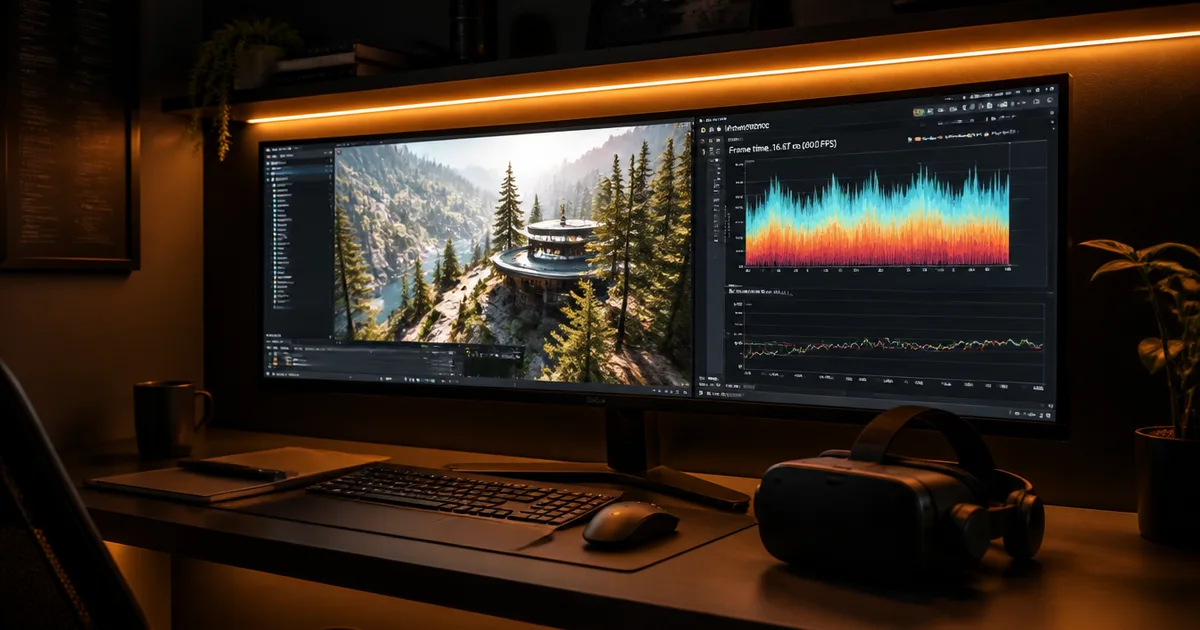
Every VR project comes down to one engineering tradeoff that decides everything else: frame rate versus visual fidelity. On a standalone headset, you choose a supported refresh rate and need to sustain it throughout the experience. A 90 FPS project target is useful, but it is not a universal Quest requirement; sustained frame drops can reduce comfort. So the real work of VR development is deciding what to give up, which features, how much detail, which platform, so that frame budget always wins.
We have shipped Immersive Exposure on the Meta Quest App Store and delivered Iman VR for the International Fair and Museum of the Prophet's Biography. One is a consumer education platform constrained by mobile silicon; the other a museum installation where we controlled the hardware and could spend the frame budget differently. Both forced the same kind of trade decisions: draw calls, polygon budgets, thermal headroom, and what gets cut to hold a steady frame. This post is a breakdown of how those tradeoffs actually get made.
If you want a broader picture of where these engineering choices sit within the full XR spectrum, start with our VR development service overview.
Which Tradeoff Decides Whether a VR App Ships?
The first tradeoff is also the largest: frame rate wins, fidelity gives. For a standalone VR project targeting 90 FPS, the frame budget is about 11.1ms and everything visual competes inside it. Polygon counts, draw calls, texture resolution, dynamic lighting, and post-processing all draw from the same account. When the budget runs out, fidelity is the variable that bends, never the frame rate.
The platform you target sets how tight that budget is, which makes platform selection an engineering tradeoff before it is a business one. Standalone Quest forces the most aggressive cuts because of its Snapdragon chipset and thermal ceiling. PC VR loosens almost every limit and lets you spend on fidelity, but you trade away the largest standalone install base and inherit wide hardware variance across GPU tiers. There is no free option here, only which constraint you would rather design around.
Iman VR shows what changes when you control the hardware. A museum installation runs on fixed devices in a controlled room, so we could hold device temperature steady and spend the frame budget on historical detail instead of defensive optimization. Immersive Exposure had no such luxury: it shipped to the public Quest store on consumer headsets, so the 3D photography lesson environments had to look compelling and still run cleanly on a Quest 2 someone might use in a warm living room. Same studio, opposite ends of the tradeoff curve.
Across both projects, the decisions that mattered most were made before any artist opened a modeling tool. Once a museum scene's polygon budget or a consumer scene's draw call ceiling is locked, the rest of the project is execution. For how those constraints get negotiated up front, see what makes the cut versus gets scoped to phase 2 during requirements.
Where Does the Fidelity Tradeoff Actually Get Paid?
According to GDC 2024 survey data, 63% of VR studios cite 3D asset creation and optimization as their longest development phase, ahead of programming or debugging. That is where the fidelity tradeoff is physically paid: in the pipeline that authors, optimizes, and re-optimizes every asset to fit the frame budget. In our experience, the number feels conservative.
VR demands a different approach to 3D modeling than mobile or even console work. Each environment piece needs multiple LOD (level-of-detail) versions. Textures need to be authored with stereoscopic correctness in mind: parallax errors that are invisible on a flat screen become immediately apparent in a headset. Hand models, which users stare at constantly, need between 8,000 and 15,000 triangles to feel credible, compared to 2,000–4,000 on mobile.
Iman VR made this concrete. Historically accurate reconstruction of environments, artifacts, and architectural details from the life of the Prophet Muhammad is not a task you can approximate. Every asset had to be researched, modeled, optimized, and validated for historical fidelity, and then optimized again for real-time rendering. The content pipeline on that project was the critical path, not the engine integration.
A useful rule of thumb we apply internally: if your asset creation phase is less than 40% of your total timeline, your optimization is being rushed. That tends to surface as performance problems during submission review, which is the worst possible time to discover them.
Set Performance Budgets for the Target Headset
Separate platform requirements from the budgets chosen for your project. Meta’s performance VRC lists allowed interactive refresh rates and a minimum rendering rate of 60 fps, with documented exceptions. Its example Quest 3/3S draw-call ranges vary with simulation workload; 200–300 calls is an example for busy simulations, not a guaranteed capacity or a hardware ceiling.
- Frame time: A chosen 90 FPS target leaves about 11.1ms per frame; 72 FPS leaves about 13.9ms. Test sustained performance at the refresh rate you ship.
- Draw calls: Fewer than 100 per frame can be a conservative project budget. Validate it against CPU and GPU measurements rather than assuming all Quest 3 apps share that limit.
- Memory: Profile peak use during scene loads and long sessions on each supported device, leaving headroom for the runtime. A single fixed memory cap is not a substitute for on-device testing.
- Thermal behavior: Test under representative ambient conditions and session lengths, watching for sustained performance degradation rather than assuming one temperature or elapsed time triggers throttling.
- Audio: Profile the actual spatializer, effects, and active voices. Set the voice budget from measured processing cost rather than treating 32 sources as a universal limit.
These constraints must be designed around from the start of the project. We have seen studios attempt to retrofit optimization after content is fully built. It costs 8–12 weeks of rework and usually still doesn't fully resolve the underlying architectural problems.
The practical implication: establish your polygon budgets, draw call targets, and memory ceilings before a single artist opens their modeling software. Set them as hard constraints in your art bible, not as aspirational targets. On Immersive Exposure, the 3D photography lesson environments had to be visually compelling enough to teach photographic composition, but still run cleanly on Quest 2 hardware. That tension was resolved in the design phase, not the optimization phase.
Engine and toolchain choice changes how tight these ceilings feel in practice. We are Unity-first at VVS for the reasons that matter in standalone VR: the XR Interaction Toolkit, the profiling tooling, and the Quest build pipeline are all more mature for this use case. The Unity-specific decisions, what its profiler reveals about draw calls and what gets cut to hold the budget, are their own discipline; we break those down in Unity VR development: what ships vs. what gets cut.
Why Frame Budget Decisions Surface Again at Submission
Here is the part teams forget: the frame budget you traded against in design gets graded again at the finish line. Meta’s performance VRC specifies rendering-rate and refresh-rate requirements separately. Check the current requirements for your app type and test frame pacing on-device; an unexplained dropped-frame count is not a reliable submission rule. So a fidelity tradeoff you skipped in production becomes a hard rejection months later, which is the worst time to discover it.
That is the real cost of cutting the wrong thing. If you let draw calls creep or skipped baking lighting to keep a few extra visual flourishes, the bill comes due as dropped frames under review load. The discipline of holding the frame budget early is what makes Immersive Exposure's clean Quest 2 performance hold up under Meta's telemetry, rather than collapsing in the last mile.
The full submission and launch process, certification steps, comfort warnings, accessibility fallbacks, release management, is its own discipline. We cover the end-to-end checklist in our breakdown of what goes into shipping a VR app. For tradeoff purposes, the takeaway is narrow: every frame budget decision you make is one you will defend again at submission.
Which Tradeoffs Only a Specialist Can Get Right?
Some performance tradeoffs are only legible to people who have made them before, and that changes which calls you can trust. A performance profiler who knows Qualcomm Adreno GPU behavior can read whether a frame stall is CPU, GPU, or memory bandwidth, and trade against the actual bottleneck instead of guessing. A generalist optimizing blind tends to cut the wrong thing and lose fidelity for no frame-time gain.
Comfort is a tradeoff most teams cannot self-assess. Between 60–80% of developers experience some degree of simulator sickness, which means your internal team is a biased comfort panel. So locomotion tradeoffs, acceleration profiles, teleport arcs, camera constraints, need external testers who are not habituated to VR. Without that signal, you over-trust your own tolerance and ship motion that fails real users.
The point for tradeoff purposes is narrow: who makes the call decides whether the cut is correct. How you evaluate a studio's depth on these specific judgments is its own subject; here, the takeaway is that draw call and comfort tradeoffs reward experience over headcount.
A Practical Tradeoff Checklist
Before content production starts, lock these tradeoff decisions. Each one is far cheaper to make now than to retrofit later:
Platform tradeoff:
- Chosen the constraint you would rather design around (standalone reach vs. PC VR fidelity)
- Confirmed target hardware (Quest 2 and/or 3, PICO, SteamVR, or controlled device)
- Decided where the frame budget gets spent vs. defended
Content pipeline tradeoff:
- Asset creation phase is ≥40% of total project timeline
- LOD versions defined for all environment and character assets
- Polygon budgets set per asset category before modeling begins
- Stereoscopic correctness reviewed during art production, not post
Performance budget:
- Draw-call budget validated on each target headset with the intended simulation load
- Frame-time budget confirmed for the chosen refresh rate (about 11.1ms at 90 FPS)
- Peak memory measured during scene transitions and long sessions, with runtime headroom
- Thermal testing conducted over 60-minute sustained sessions
The downstream submission and launch checklist, certification, comfort warnings, content rating, and release management, is a separate discipline covered in our breakdown of what goes into shipping a VR app.
Related Reading
- VR Development: Services Overview
- Unity VR Development: What Ships vs. What Gets Cut
- What Ships vs. What Gets Scoped to Phase 2
- What Goes Into Shipping a VR App
- Immersive Exposure: Project Case Study
- Iman VR: Project Case Study
If you are planning a VR app and want to understand the tradeoffs that decide what ships, platform selection, content pipeline, performance constraints, frame budget, talk to us at Virtual Verse Studio. We have shipped consumer VR on the Meta Quest App Store and delivered museum-grade VR installations, and we can tell you quickly whether your timeline, budget, and scope are aligned before you commit to either.