
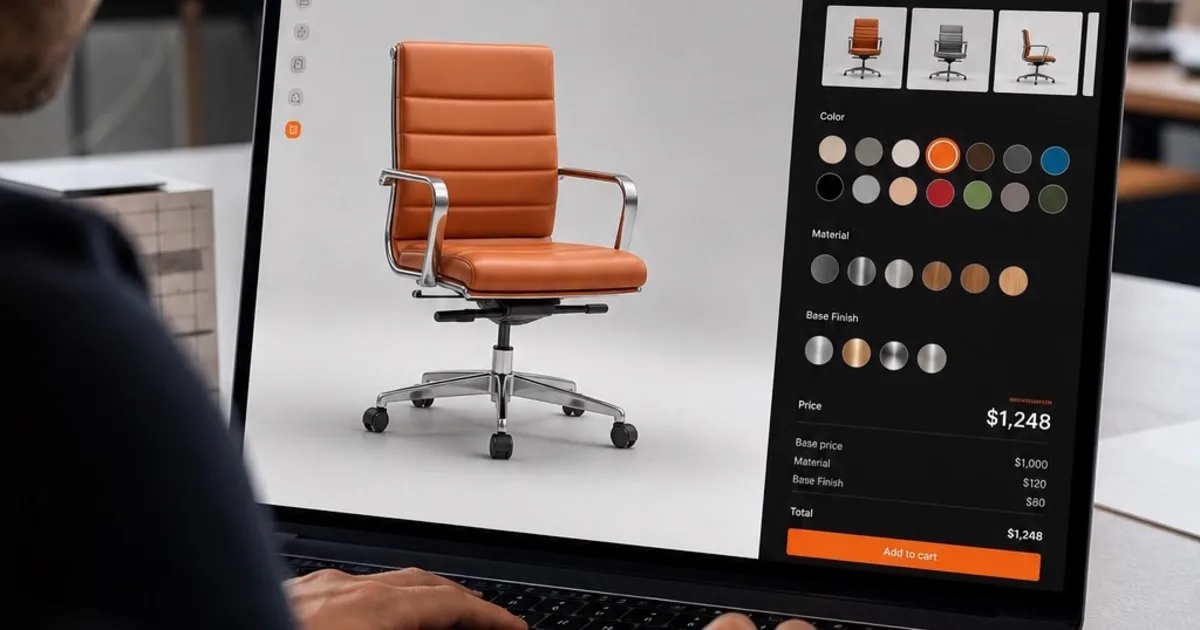
Picture a shopper spinning a chair, swapping fabrics, and watching the price shift instantly — without leaving the product page. A 3D product configurator can help the customer inspect the choices before ordering. Whether it improves conversion or reduces returns needs to be measured for your products and audience.
Here is what one actually is, how it fits a real tech stack, and where these projects go wrong.
What Is a 3D Product Configurator?
A 3D product configurator lets users change a 3D model's colours, materials, components, or branding in real time and see the result immediately. It is three systems working together: a 3D engine that renders the model, a UI layer that exposes the options, and a pricing engine that recalculates cost as those options change.
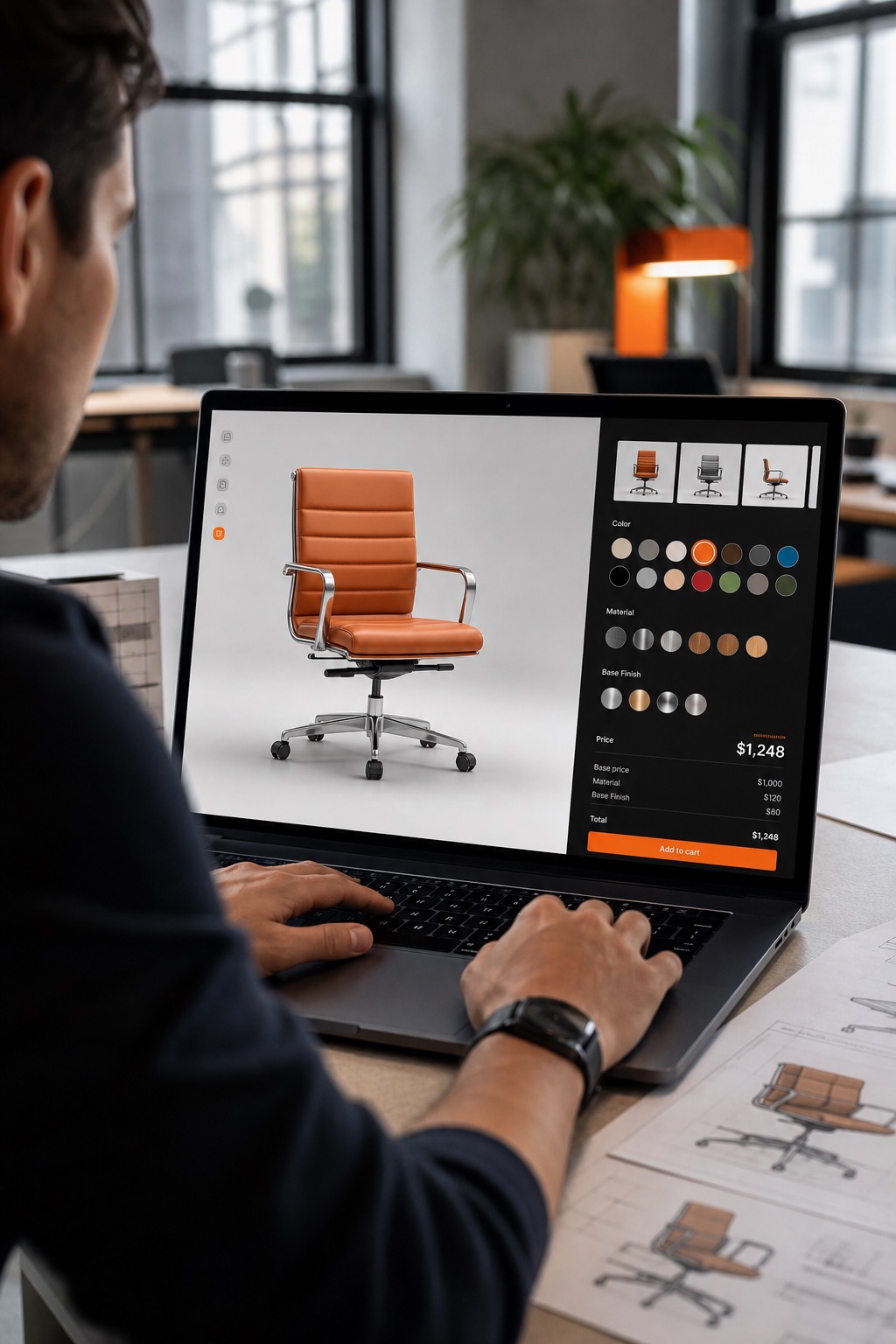
That third piece is the one teams underestimate. Rendering a chair in a browser is a solved problem. Making sure the configured chair survives checkout, order management, and fulfilment as structured data — rather than a pretty picture the warehouse cannot act on — is where configurator projects actually succeed or fail.
If It Can Be Modelled, It Can Be Configured
There is nothing furniture-specific about any of this. The chair is just the easiest example to picture. The same build — parameterised model, option schema, pricing layer, cart handoff — applies to almost any product with choices attached to it.
Potential applications include:
- Furniture and interiors — fabrics, finishes, dimensions, modular layouts
- Automotive and vehicles — trim levels, paint, wheels, interior packages, fleet livery
- Industrial and manufacturing equipment — component selection, capacity options, compliance variants
- Apparel and footwear — colourways, materials, custom placement printing, sizing visualisation
- Packaging and print — dielines, finishes, foiling, customer artwork applied to a live 3D mockup
- Jewellery and accessories — metals, stones, settings, engraving
- Medical and lab devices — configuration options constrained by regulatory rules
- Architecture and fit-out — materials, fixtures, and space planning at room scale
What changes between these is the option logic and the compliance rules around it. The technology underneath does not. A configurator for a hospital bed and one for a sneaker are the same system with different schemas — which is why an experienced 3D team can move across industries without starting over.
We build these as browser-based experiences so there is nothing to install. Our work on Unity WebGL covers the delivery model, and the NBK Virtugate build shows what browser-delivered 3D looks like when it has to hold up for an enterprise audience.
How Configurators Integrate With eCommerce Platforms
A configurator must map its selected options to merchandise and pricing rules supported by the store. Shopify’s CartLineInput documentation distinguishes the merchandise identifier from additional line attributes. Adding an attribute does not automatically create a valid variant or change its price. Validate the chosen combination and payable price in the commerce backend, then preserve the specification through checkout and fulfilment.
In practice the integration is a small JavaScript bundle on the product page that loads the 3D canvas and wires UI events to the platform's cart API. The specifics differ per platform and per version, so build against your platform's current documentation rather than a generic snippet.
Two integration details matter more than the rest:
The configured options must persist into the order record. If they only live in the cart session, fulfilment receives an order it cannot build.
The 3D canvas shares the product page's performance budget. WebGL is efficient, but it is competing with everything else the storefront loads. On a React storefront in particular, how the canvas is mounted and torn down determines whether the page stays responsive. Keep the ordinary product information and purchase path usable while the scene loads or if it cannot run.
Building One: From 3D Model to Live Store
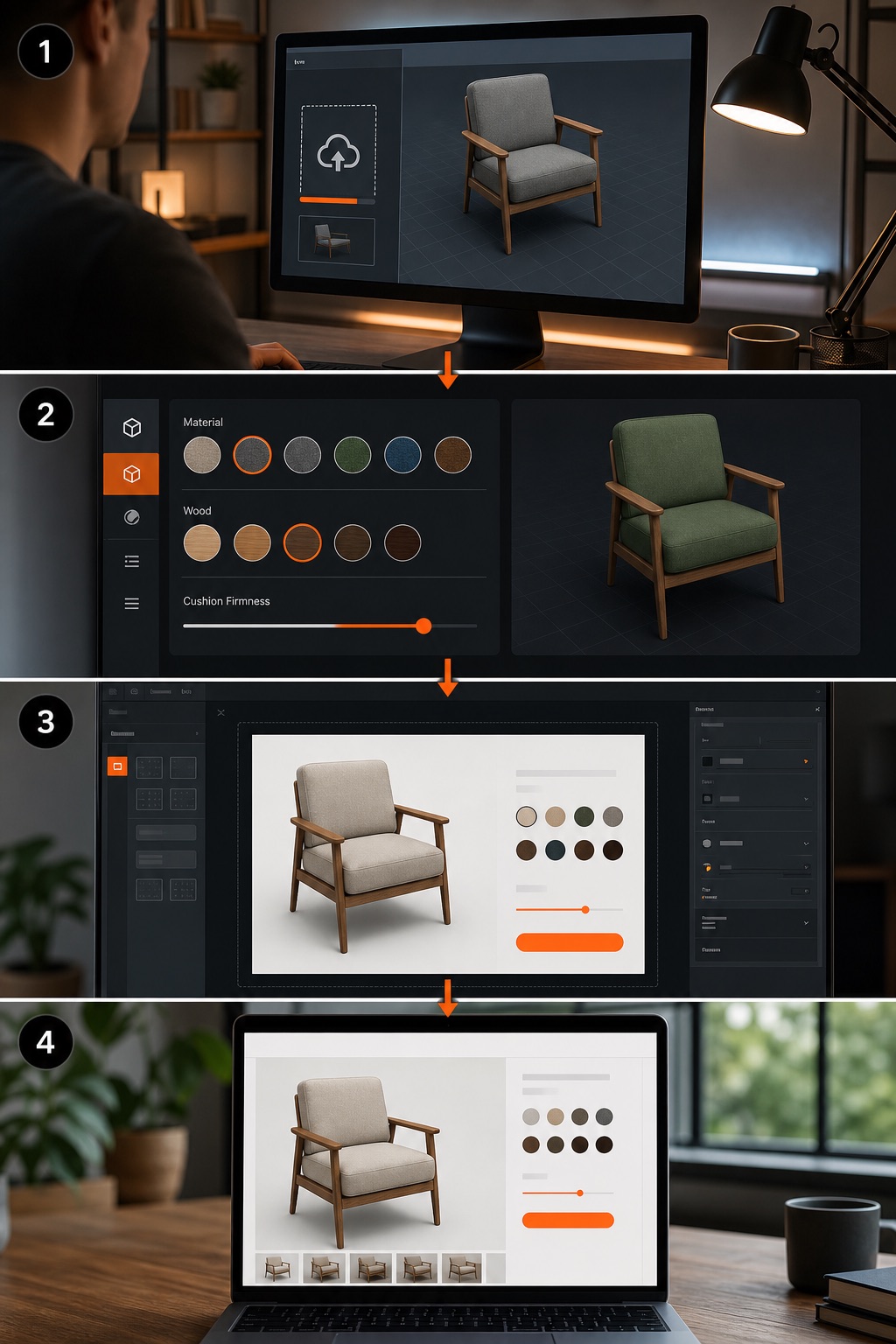
Start with a clean model. Artists deliver a GLB or FBX with separate meshes for each configurable part, UV maps prepared for texture swaps, and a low-poly variant for mobile. A model built without configuration in mind has to be rebuilt.
Define the option schema. For a chair that might be colour, material, leg style, and logo upload. Each option maps to a material assignment or a visibility toggle in the engine. This schema is the contract between the 3D scene, the UI, and the pricing logic — and it needs to mirror how the product is actually manufactured, or you will sell combinations the factory cannot produce.
Build the UI. Buttons, dropdowns, or a colour wheel trigger the material changes. No-code tools generate this layer for you; a custom build lets you design interactions the tools cannot express — drag-to-rotate, AR preview, part-level hotspots.
Connect to the backend, then optimize delivery. The UI sends selected option IDs to the cart API, which updates the line item. Host the bundle on a CDN, add a loader script to the product page, and test across browsers and devices — mobile Safari in particular, where memory ceilings bite first.
No-Code Tools vs Custom WebGL
| Aspect | No-code platforms | Custom WebGL (Three.js / Unity) |
|---|---|---|
| Setup speed | Days to a week | Weeks to months |
| Cost | Subscription, predictable | Developer hours, variable |
| Flexibility | Limited to built-in widgets | Full control over shaders and interaction |
| Performance | Tuned for average cases | Can be tuned per SKU count |
| Maintenance | Vendor handles updates | In-house or studio |
If you need a fast launch on a small catalogue, a no-code tool gets you there. If you have complex part-by-part customization, need AR handoff, or must meet strict security requirements, a hand-coded build gives you the control to meet them — which is what our 3D product configurator development work covers end to end. Our comparison of Unity WebGL versus a native app covers the same trade-off at the platform level.
Advanced Features Worth Planning For
AI-driven intent. A user types "make the straps bright green" and a language model maps that phrase to the strapColor property, updating the mesh directly. This removes friction for shoppers who would rather describe than click through palettes.
Security on personalization. The moment you accept customer logo uploads, a read-only viewer becomes a file-upload endpoint. Sandbox the storage, scan uploads, cap file types and sizes, and enforce a content security policy.
Performance at catalogue scale. LOD meshes, texture atlasing, and CDN caching with correct headers handle most of it. Past a few thousand SKUs, generate a static preview per variant and load the full scene on demand.
UI depth. Hotspots that reveal specs, multi-camera preset angles, and part-toggle controls improve discoverability without crowding the interface.
Where This Usually Goes Wrong
The failure mode is almost never the renderer. It is a 3D model that was not authored for configuration, an option schema that does not match how the product is actually manufactured, or a cart integration that loses the configuration between checkout and fulfilment. Get those three right and the WebGL part is the straightforward half of the project.
Plan Your Build
For a procurement worksheet covering assets, option rules, checkout and first-year ownership, read our 3D product configurator development cost guide.
We scope custom browser-based product configurators around your product rules, source assets and sales workflow. A representative product pilot helps establish what the rest of the catalogue will require.
If you have a product in mind, book a free consultation. Tell us what you sell and how it varies, and we will tell you what it takes to configure it — scope, timeline, and whether a custom build is even the right call for your catalogue.