
AI & XR

Interactive AI Avatar Builds: 6 Things We'd Do Differently

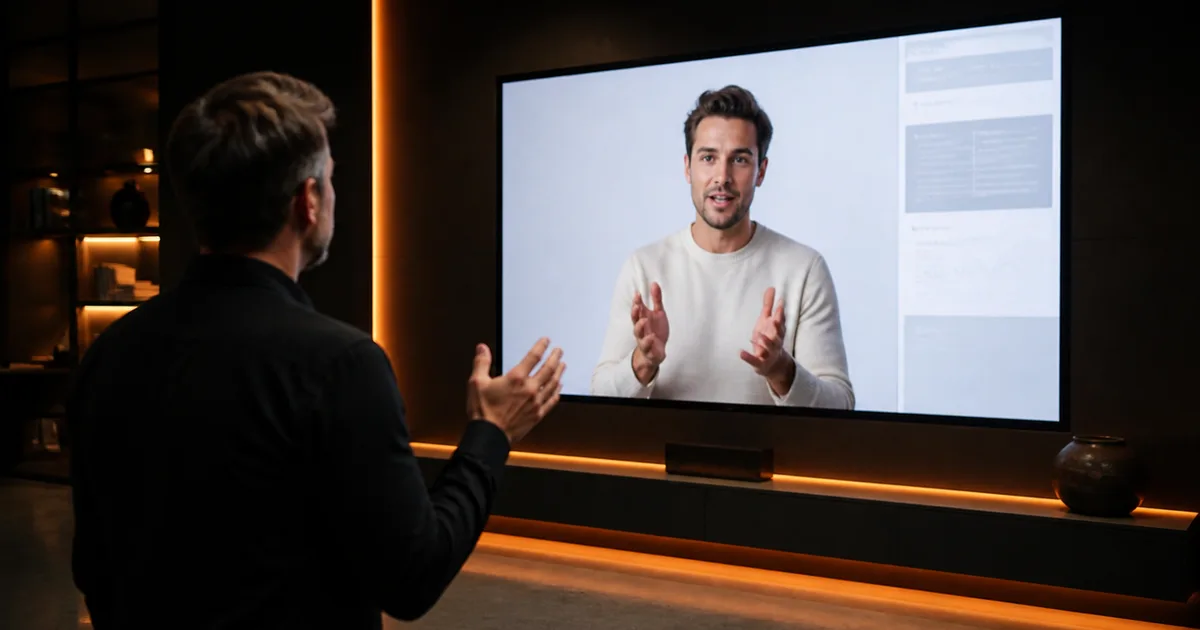
A photorealistic AI digital human presenter on a large screen, a person interacting with it in a dark studio

To build an interactive AI avatar that tracks a visitor, reads their gesture, and responds in real time is not a video-generation problem. We learned this the hard way across two projects — Meet Eva Here at ArtScience Museum Singapore and Work Spatial, our AI-driven XR onboarding MVP — and the mistakes were consistent enough that they deserve a direct post-mortem.

This is not a critique of tools like HeyGen. The interactive avatar HeyGen workflow is excellent for what it is — asynchronous video generation with conversational response. The problem is that enterprise teams routinely spec a HeyGen workflow when they need a spatial computing pipeline, and the gap between those two things is where projects fail.

Here are six specific mistakes, what broke, and what we do now.


1. We Treated Speech Generation as an Async System — Not Part of the Latency Budget

What we did: On an early build, we integrated a cloud-based text-to-speech service for the avatar's spoken responses. The service was high quality. We tested it in isolation, latency looked acceptable, and we moved on. We did not add it to our overall latency budget alongside gesture recognition, decision logic, and animation execution.

Why it broke: In isolation, 600–800ms for speech synthesis felt fine. Inside the full pipeline — gesture detected, intent classified, response selected, speech generated, lip-sync triggered, animation executed — that 600ms compounded into 2.2 seconds of total delay. Visitors gestured, waited, saw nothing happen, gestured again, and then got a doubled response. The avatar appeared broken.

What we do now: We build a latency budget before writing a line of code. Every component gets an allocation: perception (target ≤100ms), gesture classification (≤300ms), decision logic (≤100ms), speech (≤600ms if synthesized, ≤0ms if pre-recorded), animation execution (≤200ms). Total target: under 1.2 seconds for most interactions. If the speech system alone threatens to consume half the budget, we switch to a pre-recorded response library for that deployment. On Meet Eva Here, the curated speech library kept us under 900ms for the majority of visitor interactions.


2. We Spec'd the Gesture Recognition Model Against Lab Data, Not Deployment Conditions

What we did: We trained and validated our gesture recognition model on a clean dataset — controlled lighting, consistent backgrounds, standard clothing. Accuracy looked strong. We shipped it.

Why it broke: The ArtScience Museum has dramatic, variable lighting. Visitors wore hats, scarves, and reflective jackets. The physical distance from the sensor varied by more than we anticipated. Accuracy in deployment dropped significantly from our lab figures. The avatar was misreading gestures, triggering wrong responses, and — worse — confidently responding to gestures that weren't there. Visitors lost trust in the system within the first few seconds.

What we do now: We treat location-specific retraining as a non-negotiable line item, not an optional optimization. Before launch, we collect gesture data in the actual deployment space, with actual lighting, at the actual sensor distance. We also build explicit confidence thresholds into the avatar's behavior — if gesture confidence falls below a defined threshold, the avatar responds with a neutral acknowledgment ("I didn't quite catch that — try again") rather than confidently misinterpreting. Graceful uncertainty reads as more believable than confident error.


3. We Designed Gaze Last — After Everything Else Was Built

What we did: On our first spatial avatar build, gaze direction was an afterthought. We focused on gesture recognition, speech, animation, and rendering quality. Gaze was adjusted in the final week before delivery — a few inspector tweaks, a fixed look-at target, done.

Why it broke: Humans read gaze before they register anything else about a character. An interactive avatar ai installation where the avatar stares at a fixed point — regardless of how sophisticated its speech or gesture response is — reads as a screen playing a video, not a character that is aware. Visitors at the museum tested this within seconds: they moved left, the avatar didn't follow, and the illusion collapsed. The engagement pattern we observed was consistent: visitors who saw the avatar fail to track them disengaged and didn't re-engage.

What we do now: Gaze is designed in the first sprint, not the last. We implement a gaze management system that tracks the nearest attentive visitor, smoothly transitions between targets when multiple visitors are present, and applies subtle idle gaze variation (micro-movements that prevent the stare from reading as locked). We use inverse kinematics to let the gaze drive subtle head and upper-body orientation — not just eye rotation. This single change, applied to Meet Eva Here after the initial build, had a more visible impact on visitor engagement than any rendering upgrade we made.


4. We Assumed a HeyGen-Style Interactive Avatar Generator Would Scale to Spatial Contexts

What we did: On a client project early in our avatar work, the client had seen a live avatar ai demo — the kind where a user types a question and a photorealistic talking head responds in near-real-time. They wanted exactly that, but in a physical retail space where visitors could walk up and interact. We initially scoped the project around a commercial video-generation API — the category that includes heygen interactive avatar pricing tiers and similar services — because the quality was high and the timeline was tight.

Why it broke: The API streamed video. It did not know where visitors were standing. It did not respond to gesture. It could not turn toward an approaching visitor or acknowledge someone entering the frame. It rendered into a flat display, not a spatially-coherent 3D character. The client's vision — an avatar that "knows you're there" — was architecturally impossible with a video-generation backend. We caught this before delivery, but the rework cost us two sprints and strained the timeline.

What we do now: We run a mandatory discovery question in every avatar brief: "Does the avatar need to know where the user is in physical or virtual space?" If yes, we immediately scope for a Unity-based real-time pipeline with local perception hardware — not a cloud video-generation API. The distinction between a live avatar heygen workflow and a spatial computing pipeline is not a nuance; it's the entire architecture. We document this in writing before scoping begins. Our VR development practice is built around this distinction.


5. We Under-Invested in Behavioral Design and Over-Invested in Visual Fidelity

What we did: On an early installation, we spent a disproportionate amount of build time on the avatar's visual quality — mesh resolution, texture detail, shader complexity. The avatar looked impressive in screenshots. In deployment, visitors exhausted its behavioral repertoire in under two minutes. There were only so many things the avatar could say and do; once visitors had seen all of them, they left.

Why it broke: Visual fidelity creates a first impression. Behavioral depth creates engagement. An avatar that looks photorealistic but responds to every gesture with one of four canned phrases is a novelty, not an experience. The uncanny valley also punishes photorealism more harshly than stylized rendering — a slightly-off realistic face reads as wrong in a way that a clearly-stylized face does not. We had optimized for the screenshot, not the sustained interaction.

What we do now: We allocate design sprints explicitly to behavioral scripting and interaction tree development before visual polish begins. For Work Spatial, the generative AI backend meant the avatar could handle a much wider range of conversational inputs than a scripted system — but we still authored the behavioral envelope carefully: what topics the avatar would engage with, how it would redirect out-of-scope questions, how it would handle silence or repeated queries. The AI generates responses; the behavioral design shapes the character. Both matter. Neither substitutes for the other.


6. We Didn't Scope Perception Hardware as a First-Class Project Dependency

What we did: On an installation project, we scoped the software build thoroughly — Unity pipeline, avatar rig, gesture recognition model, speech system — and treated the perception hardware (cameras, depth sensors) as a procurement item the client would handle separately. We assumed standard hardware would arrive, we'd integrate it, and the system would work.

Why it broke: The hardware the client procured was not what we had built against. Sensor field of view, depth range, and SDK compatibility were all different from our development environment. Integration consumed three weeks of a six-week delivery window. We also discovered that the physical installation space had constraints — mounting positions, cable routing, ambient IR interference — that changed the effective detection zone entirely. The gesture recognition model we'd trained for a 2.5-meter detection range was now operating at 1.8 meters in one direction and 3.5 meters in another.

What we do now: Perception hardware is specified in the project brief alongside software requirements. We define the exact sensor models, mounting positions, power requirements, and SDK versions before development begins — and we include a site survey as a project phase for any physical installation. We've also built hardware abstraction into our avatar pipeline so that sensor inputs are normalized before reaching the gesture classification layer, which reduces the fragility of retraining when hardware changes. For any enterprise team evaluating an interactive ai avatar for a physical space, the hardware spec is not a procurement afterthought — it is a design decision that determines what the software can do.


The Five Decisions to Make Before You Build

The mistakes above are the retrospective. This is the forward-looking version: the five variables that decide an interactive avatar architecture before any of them can bite.

Decision Variable 1: What Should the AI Avatar Onboarding Assistant for Employees Actually Know?

An ai avatar onboarding assistant for employees is not a search engine with a face. The first decision — and the one most briefs skip entirely — is defining the knowledge boundary: what the avatar is authorized to answer, what it should redirect, and what it must never attempt.

The temptation is to connect the avatar to every available document and let the model figure it out. This produces an assistant that sounds confident while occasionally fabricating policy, contradicting the employee handbook, or offering opinions on matters that require manager discretion. The failure mode is not dramatic; it is gradual erosion of trust as new hires notice inconsistencies and stop asking.

A more defensible approach treats the knowledge surface as a deliberate design artifact. Start from the specific onboarding workflows where the avatar will actively coach — IT setup, benefits enrollment, first-use of a core internal tool — and build outward only when those are stable. Platforms that describe AI training avatars capable of triggering actions and connecting to enterprise systems in real time make this explicit: the avatar is not a knowledge base, it is a gateway into a curated set of authorized workflows. Scoping the knowledge surface this deliberately is a core part of any AI avatar development service engagement, where the interaction boundary is defined before a scene file opens. Tools like Pitchavatar represent this category of purpose-built avatar platforms where the interaction surface is deliberately scoped rather than open-ended.

What changes the answer: The narrower the role scope, the tighter the knowledge boundary can be, and the more reliable the assistant will be in practice. A global enterprise onboarding a cohort of 500 analysts needs a different scope than a 20-person startup onboarding a single new engineer. The more regulated the industry — banking, healthcare, transport — the more important it is to keep the avatar away from policy interpretation and close to procedural guidance.

The trade-off: A narrow knowledge boundary makes the assistant more trustworthy but more limited. A wide boundary increases utility but requires proportionally more curation, governance, and fallback design. Most teams underestimate the curation cost of the wide-boundary option.


Decision Variable 2: Fallback Behaviour — What the AI Chatbot Avatar Does When It Cannot Answer

Fallback behaviour is the second decision variable, and the one most consequential for whether new hires trust the system after the first week. Fallback refers to the set of responses and actions the avatar takes when it cannot fulfill a request through normal processing — due to low confidence, missing information, or an out-of-scope question.

Effective fallback design includes at minimum: a clarification prompt when the question is ambiguous, a partial answer with an explicit acknowledgment of what is unknown, a warm redirect to a human colleague with conversation context preserved, and a knowledge-gap log that feeds back into content improvement. What it does not include is a confident wrong answer — which is the default behaviour of an under-specified generative agent.

New hires ask questions that blend policy, personal circumstance, and emotional state. "Is it normal to feel this lost on day three?" is not a FAQ. An AI chatbot avatar that attempts to answer it from a knowledge base will produce something generic at best and tone-deaf at worst. The right fallback is to acknowledge the question, normalize the feeling briefly, and route to a human HR partner — with the conversation context attached so the employee does not have to repeat themselves.

What changes the answer: The higher the emotional stakes of the onboarding context (healthcare workers, frontline staff, roles with significant compliance exposure), the more conservative the fallback threshold should be. In lower-stakes contexts — IT setup, benefits FAQ — the avatar can handle more before escalating. The key variable is not the model's capability but the organization's tolerance for confident errors.

The trade-off: Aggressive fallback (escalating frequently) reduces the risk of wrong answers but increases load on human HR and may frustrate employees who wanted a quick answer. Permissive fallback (the avatar attempts most questions) increases utility but requires tighter knowledge curation and monitoring. One analysis of over 50 enterprise AI agent pilots found roughly 95% of agentic workflow pilots were not working in practice — with wrong sequencing and weak training cited as primary causes, not model quality. Fallback design is where sequencing breaks down.


Decision Variable 3: Environment Variability — Web, VR, Spatial, or Public Installation

The third decision variable is the deployment environment. This is not a UI decision; it changes the entire perception pipeline, animation architecture, and interaction model.

A browser-based AI avatar chat interface embedded in an onboarding portal operates in a controlled, predictable environment: one user, one screen, keyboard or microphone input, stable network. The avatar can be a 2D talking head or a lightweight 3D character rendered in WebGL. Latency tolerances are relatively forgiving because the user expects a slight pause before a response — the same pause they accept from a human on a video call.

A VR or spatial computing deployment changes every assumption. The user is embodied in a shared space. The avatar must maintain spatial consistency — it cannot flicker, teleport, or break eye contact without destroying presence. Input comes from hand tracking, voice, gaze, and body position simultaneously. The animation pipeline must handle real-time blendshapes, inverse kinematics, and lip sync under the latency constraints of a head-mounted display.

A public installation — an uncontrolled physical environment with multiple simultaneous visitors, ambient noise, variable lighting, and unpredictable movement — is the hardest case. Meet Eva Here — an AI avatar Unity installation for artist Shavonne Wong at ArtScience Museum Singapore, where the avatar tracked and interacted with visitors via gesture and movement — operated in exactly this context. The client said: "The Unity build worked as intended. Very responsive and quick at delivering. Internal stakeholders praised accessibility and work culture." That outcome required explicit design decisions about confidence thresholds in gesture recognition, neutral acknowledgment behaviours when sensor confidence was low, and graceful handling of simultaneous visitor attention — none of which appear in a typical onboarding brief.

What changes the answer: The more variable and uncontrolled the environment, the more the build cost and complexity increase — and the more important it is to design for degraded-mode behaviour explicitly. A web deployment can tolerate a missed input; a VR deployment cannot tolerate a broken avatar without breaking presence entirely.

The trade-off: Higher-fidelity environments produce stronger engagement and presence but require more robust engineering and more explicit behavioural design. Teams that choose VR or spatial for the engagement benefit without planning for environment variability consistently discover the gap at prototype review.


Decision Variable 4: Latency Tolerance and the Illusion of Presence in AI Avatar Chat

The fourth decision variable is latency — specifically, how much AI response delay the interaction model can absorb before the illusion of a present, responsive colleague breaks down.

This is a technical constraint with a UX consequence. Generative AI responses, especially from large models with retrieval-augmented generation over enterprise knowledge bases, take time. In a text chat interface, a two-second pause is acceptable. In a face-to-face avatar interaction — whether in VR, on a spatial display, or in a WebGL environment — a two-second silence after a question feels unnatural and erodes the sense of talking to someone rather than waiting for a system.

The common mitigation strategies are: streaming responses (the avatar begins speaking as tokens arrive, rather than waiting for the full response), filler behaviours (the avatar nods, shifts gaze, or produces a brief acknowledgment while the model generates), and pre-cached responses for high-frequency questions where latency is predictable. Each of these requires explicit design and engineering investment that does not appear in a "chatbot with a face" brief.

What changes the answer: The more immersive the environment, the tighter the latency tolerance. A browser-based AI avatar chat interface can absorb more delay than a VR or spatial experience. The model choice also matters: smaller, fine-tuned models with retrieval augmentation typically produce faster responses than large general-purpose models, at the cost of breadth. For onboarding — where the question set is relatively bounded — a fine-tuned approach often outperforms a general model on both latency and accuracy.

The trade-off: Investing in streaming and filler behaviours adds engineering complexity and cost. Skipping them produces an avatar that feels robotic precisely in the moments when it should feel most present — when the new hire has just asked something important and is waiting for a response.


Decision Variable 5: AI-to-Human Handoff Design and the AI Sales Avatar Parallel

The fifth decision variable is the handoff — what happens when the avatar reaches the edge of its knowledge boundary, triggers a fallback, and needs to transfer the interaction to a human colleague.

This is the most neglected spec in enterprise onboarding avatar briefs. Most teams assume the handoff is a routing problem: the avatar says "I'll connect you with HR" and the employee opens a new chat window. In practice, a broken handoff — where the employee must re-explain their question, loses conversation context, or lands in a generic queue — is worse than no avatar at all. It signals that the system does not actually know the employee or care about their time.

The handoff challenge is well understood in adjacent domains. In AI sales avatar deployments, where a digital representative qualifies leads and then transfers high-intent prospects to a human sales rep, broken handoffs directly cost revenue — making context preservation and warm introduction non-negotiable design requirements. The same logic applies in onboarding: a new hire who hits a dead end on day one forms a lasting impression of the organization's competence and care.

Best practice in AI-to-human handoff design requires: full conversation context passed to the receiving human agent, a clear signal to the employee that a human is joining (not a silent transfer), and a warm introduction that frames what has already been discussed. For onboarding specifically, this means the avatar should be able to identify the right human — the new hire's HR partner, their manager, or a designated onboarding buddy — and initiate a structured handoff rather than a generic escalation.

Work Spatial — an AI-driven XR onboarding MVP combining WebGL, spatial computing, Generative AI, and Web3 — addressed persistent identity across sessions as part of its architecture. The client said: "Mohamed and Mazen were very instrumental in helping us develop our MVP. Plethora of knowledge, very professional, keep a project on schedule. We recommend them highly." Persistent identity is a prerequisite for meaningful handoff: the avatar cannot introduce the employee to a human colleague if it does not know who the employee is across sessions.

What changes the answer: The more complex the organization — multiple HR partners, regional policies, role-specific onboarding tracks — the more important it is to design the handoff routing logic explicitly. In a small organization, a generic "contact HR" redirect may be sufficient. In a global enterprise, the handoff must be role-aware, location-aware, and context-preserving.

The trade-off: A well-designed handoff requires integration with HR systems, calendar tools, and messaging platforms — not just the avatar's conversational layer. This integration work is often scoped out of early builds to reduce cost, producing an avatar that handles easy questions well and abandons employees on hard ones.


The Decision Matrix

Copy this matrix into your brief before engaging a studio. Each row is one decision variable. Fill in the right-hand column based on your organization's context.

Decision VariableLow-Complexity AnswerHigh-Complexity AnswerYour Context
Knowledge ScopeNarrow: 3–5 procedural workflows, static HR FAQWide: policy interpretation, multi-system integration, personalized learning paths
Fallback BehaviourConservative: escalate frequently, minimize generative riskPermissive: attempt most questions, requires tight curation and monitoring
EnvironmentBrowser/WebGL: controlled, single user, forgiving latencyVR/Spatial/Public installation: embodied, multi-user, tight latency and perception constraints
Latency ToleranceText-chat parity acceptable: 1–3 second response delay tolerableImmersive presence required: streaming responses and filler behaviours mandatory
Handoff DesignGeneric escalation: "contact HR" redirect sufficientWarm, context-preserving handoff: role-aware routing, conversation context passed, human introduced by avatar

The matrix does not produce a single answer — it produces a brief that a studio can actually build from. The teams that skip this step discover the gaps at prototype review, when rework is expensive and timelines are already under pressure.


The Do-Not List

If you're building a spatially-aware interactive ai avatar — whether for a museum installation, enterprise XR onboarding, or a retail environment — print this and put it on the wall.

Do not:

  1. Spec a HeyGen interactive avatar demo as the reference point for a spatial installation. Video generation and real-time spatial avatars are different architectures.
  2. Treat speech synthesis latency as separate from your overall latency budget. It compounds.
  3. Train your gesture recognition model only on lab data. Retrain on-site before launch.
  4. Design gaze last. It determines whether visitors believe the avatar is aware of them.
  5. Procure perception hardware without specifying model, SDK, and mounting position in advance. Hardware mismatches will eat your delivery window.
  6. Prioritize visual fidelity over behavioral depth. Photorealism creates expectations that limited behavioral repertoire will immediately disappoint.
  7. Use a cloud-only architecture for perception and decision logic. Round-trip latency will exceed visitor tolerance.
  8. Assume an interactive ai avatar free or open-source toolkit gives you a production-ready pipeline. Components ≠ system.
  9. Skip the site survey for physical installations. Lighting, space dimensions, and IR interference will all affect your detection zone.


If you're scoping an interactive AI avatar project — for a physical installation, an XR training platform, or a spatial onboarding experience — our interactive AI avatar development team is happy to run a technical discovery session before you commit to an architecture. We've built this in museums, enterprise platforms, and WebGL environments, and we know where the traps are. Talk to us at Virtual Verse Studio.

Frequently asked questions.

What is an interactive AI avatar and how does it differ from a HeyGen avatar?
A HeyGen interactive avatar is a video-generation system — you provide text, it renders a talking head reading that text. An interactive AI avatar in a spatial context is a real-time character that tracks viewer position, responds to gesture, and synthesizes behavior dynamically inside a Unity scene or physical installation. The architectural difference is significant: HeyGen operates asynchronously on cloud infrastructure; spatial avatars require edge computation with strict latency budgets, typically under 1.5 seconds from gesture to visible response. We built this distinction into both Meet Eva Here and Work Spatial.
How much does a real-time interactive AI avatar cost to build?
Cost depends heavily on scope. A constrained museum installation like Meet Eva Here — fixed location, curated gesture set, pre-authored speech library — is a different build from a globally deployable XR onboarding avatar like Work Spatial that integrates generative AI and WebGL across platforms. Variables that drive cost include perception hardware (depth cameras, spatial sensors), whether speech is pre-recorded or synthesized in real time, animation complexity, and backend integration requirements. Contact us at /contact/ for a scoped estimate — we won't quote a number before we understand your deployment context.
Can I use HeyGen live avatar API for a museum or retail installation?
Not for spatial interactivity. The HeyGen live avatar API streams video responses to text input — it does not track visitor position, respond to gesture, or exist in a 3D spatial relationship to viewers. For a kiosk that answers typed or spoken questions with a video response, HeyGen live avatar pricing is worth evaluating. For an installation where the avatar must turn toward approaching visitors, acknowledge gestures, or exist inside a Unity scene, you need a different architecture entirely. We've seen projects burn budget attempting this substitution.
What is the typical latency for a real-time interactive AI avatar?
In our builds, we target under 1.5 seconds end-to-end from gesture detection to visible avatar response. The latency chain includes: camera capture and initial processing (around 100ms), gesture recognition model inference (200–400ms depending on model complexity and hardware), decision logic (50–100ms), speech synthesis if not pre-recorded (500–800ms), and animation execution (100–200ms). The biggest variable is speech generation — pre-recorded libraries eliminate that cost but constrain conversational flexibility. On Meet Eva Here, we used a curated response library to keep total latency under 900ms for most interactions.
Is there an interactive AI avatar free option for enterprise pilots?
Open source frameworks — several available on GitHub under real-time ai avatar repositories — give you components: lip-sync, gesture triggers, avatar rigs. What they don't give you is a production-ready pipeline with perception hardware integration, latency optimization, and behavioral design. We've seen teams spend three months assembling open source parts and still not have a deployable system. For enterprise pilots, we recommend a scoped proof-of-concept with defined latency targets and a fixed gesture set before committing to full build. That's how we approached the Work Spatial MVP.
What Unity decisions most affect interactive avatar believability?
Gaze direction and transition speed matter more than rendering quality. An avatar with mid-tier mesh quality that tracks visitors with accurate, smooth gaze reads as more alive than a photorealistic avatar staring at a fixed point. Beyond gaze: inverse kinematics for procedural hand and body posture (rather than canned animations), audio-driven blend shapes for lip-sync, and frame-rate consistency — dropping below 30fps breaks the perception of responsiveness immediately. On Meet Eva Here, gaze and IK adjustments made a more noticeable difference to visitor engagement than any visual fidelity upgrade we applied.
  • AI Avatars
  • XR Development
  • Spatial Computing
  • Unity
  • Enterprise XR
Mohamed Essam
Mohamed Essam
Co-Founder & CTO

Co-founder and CTO of Virtual Verse Studio. Leads technical direction and client delivery, with deep hands-on expertise in Unity, Unreal Engine, AR/VR, multiplayer systems, and XR architecture — shipping immersive products since 2018.

Keep reading

Related articles.

Build with us

Interested in building something like this?

From VR training to WebGL experiences and beyond — tell us about your project and we'll scope it honestly: timeline, budget range, and the right platform.